Write, format, revise, visualize, and export your screenplay in one cinematic workspace.
The editor is 100% free.AI writing and image generations show their credit cost before they run.
One screenplay. One source of truth.
The script becomes the production workspace.
Melies keeps the page at the center while structure, story memory, visuals, and delivery stay close enough to use without breaking your flow.
01
Write
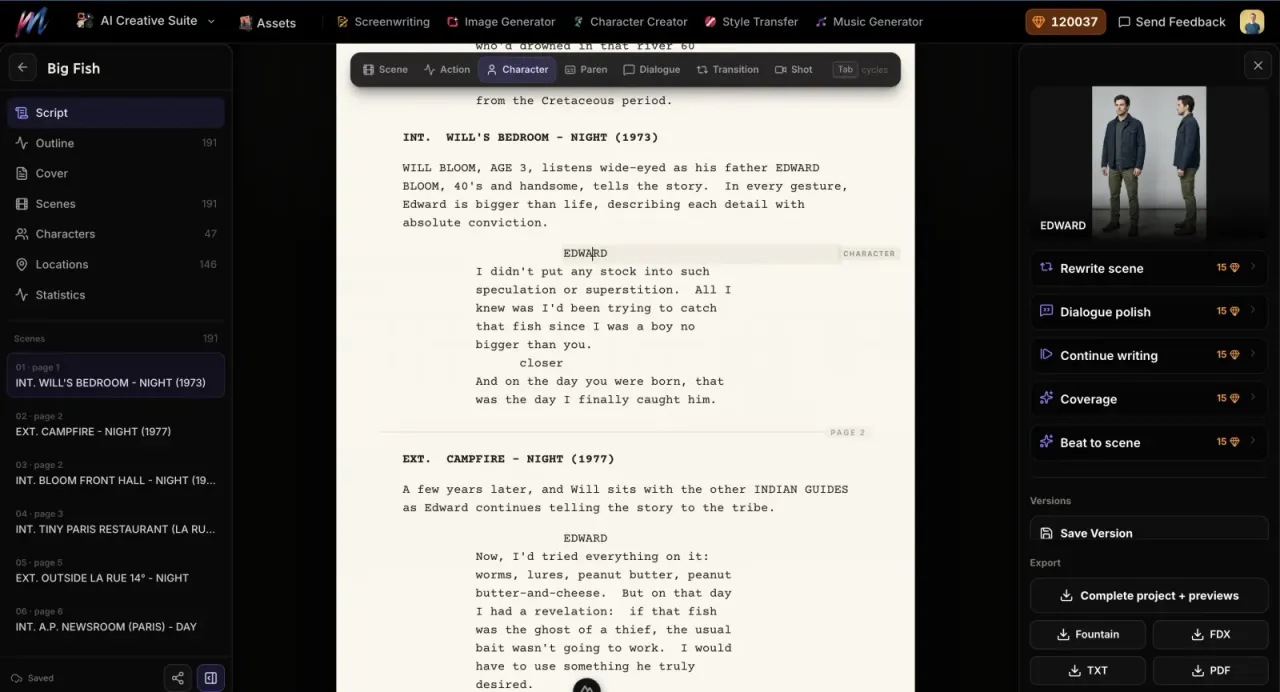
A professional page that handles the formatting.
Write scene headings, action, character cues, parentheticals, dialogue, transitions, and shots with screenplay-aware Enter and Tab flow. Pagination stays aligned with the exported PDF.
Autosave
Keyboard formatting
Name and location autocomplete
Editable cover page
02
Structure
An outline that works like a table of contents.
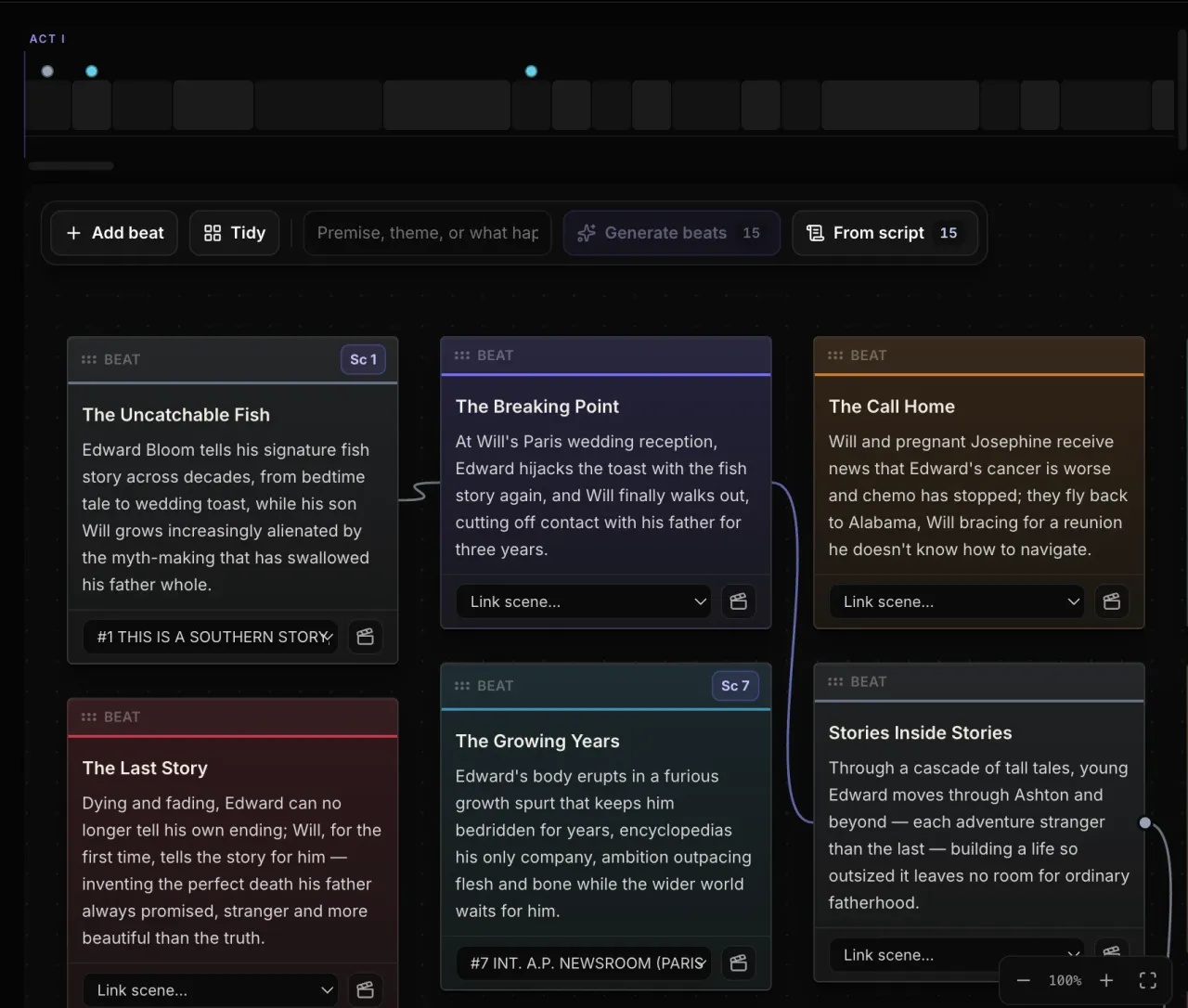
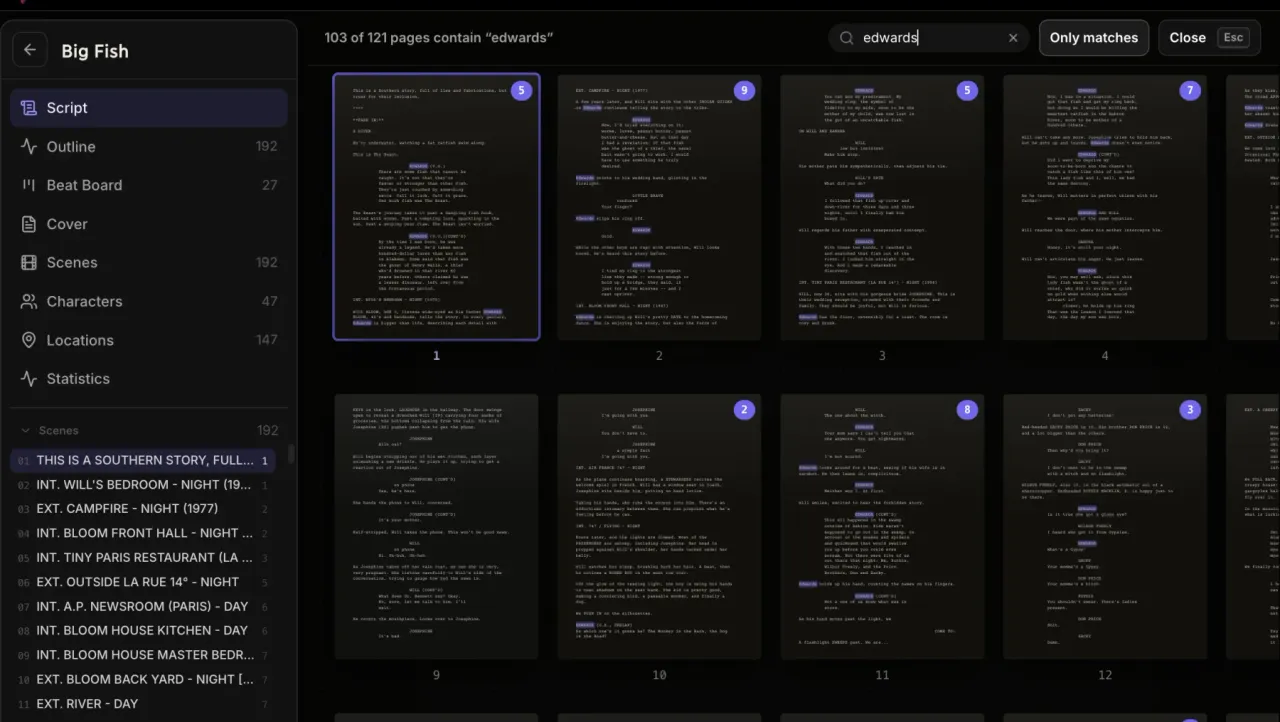
Search every scene by heading, summary, or cast, highlight the matching words, and jump directly to the right page. The beat board lays the story out as cards with flow lines, in sync with the script.
Searchable outline
Beat board with flow lines
Scene navigation
Page references
03
Story memory
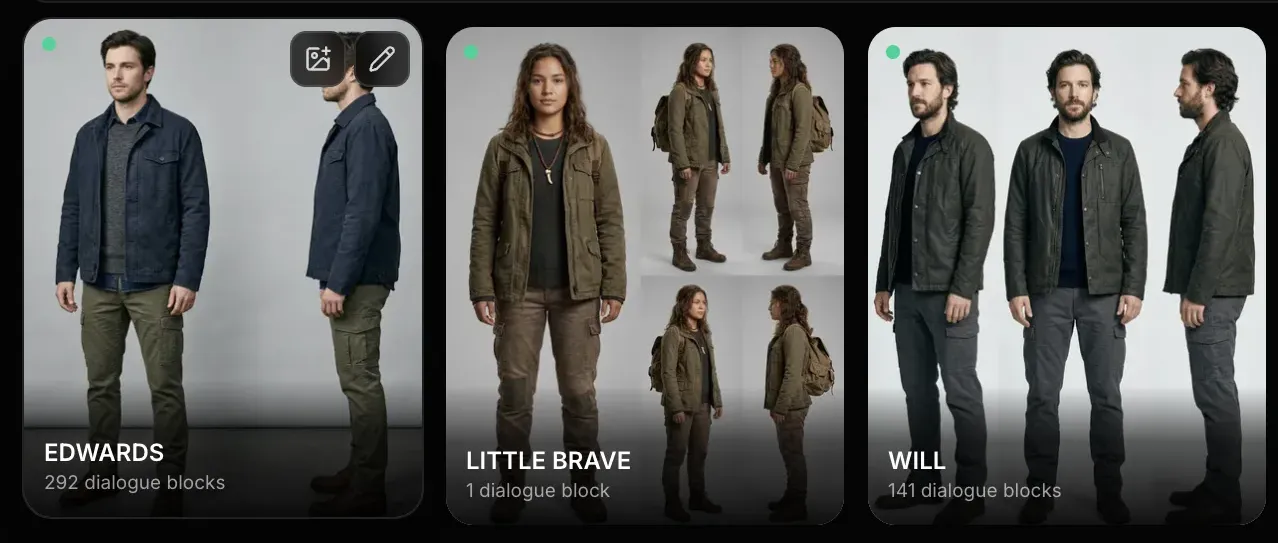
Characters and locations detected without duplicates.
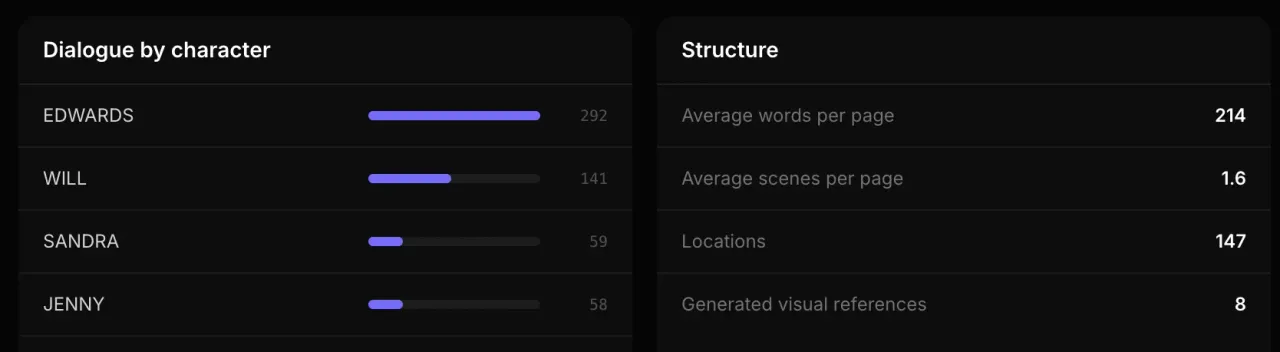
Character cues are normalized so a name, a voice-over cue, and a shared cue resolve to the correct cast. Characters, locations, scenes, and statistics each have a focused production view.
Normalized cast detection
Character view
Location view
Live screenplay statistics
04
Revise
Focused AI passes that follow the cursor.
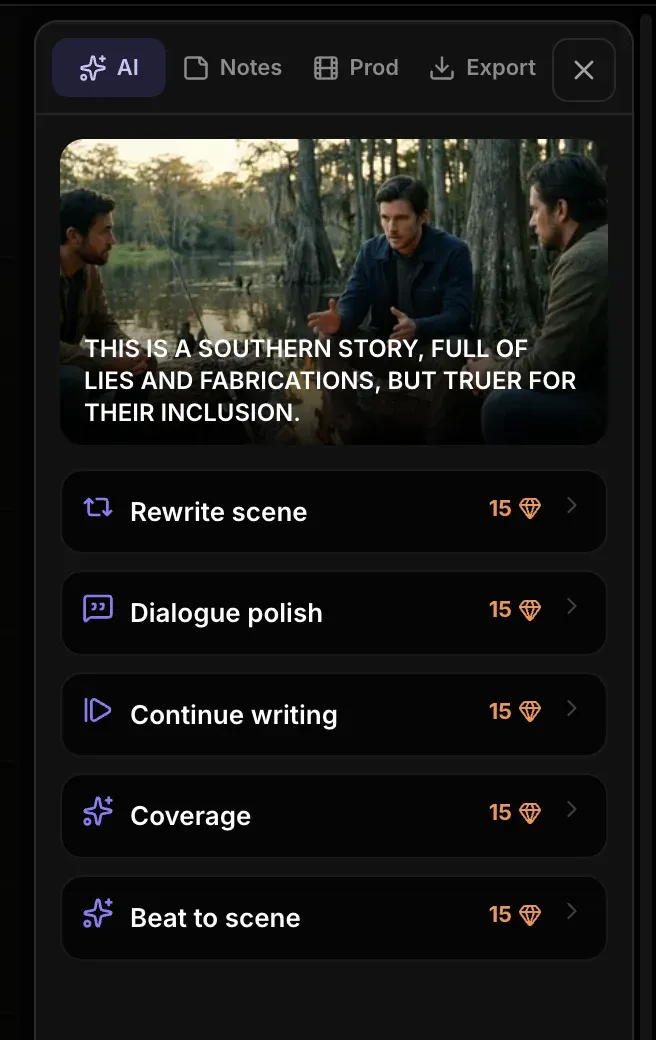
Rewrite selected text or the current scene, polish dialogue, continue writing, request coverage, or turn a beat into a scene. Melies previews the scope, protects the draft, and lets you accept or reject changes.
Selection-aware actions
Before and after review
Protected writing state
Automatic pre-pass version
05
Visualize
A poster, visual bible, and storyboards beside the draft.
Generate character portraits, location references, a cover poster, and scene frames with your chosen image model. Existing visuals stay contextual, easy to browse, and reusable across the project.
Character previews
Location references
Cover poster
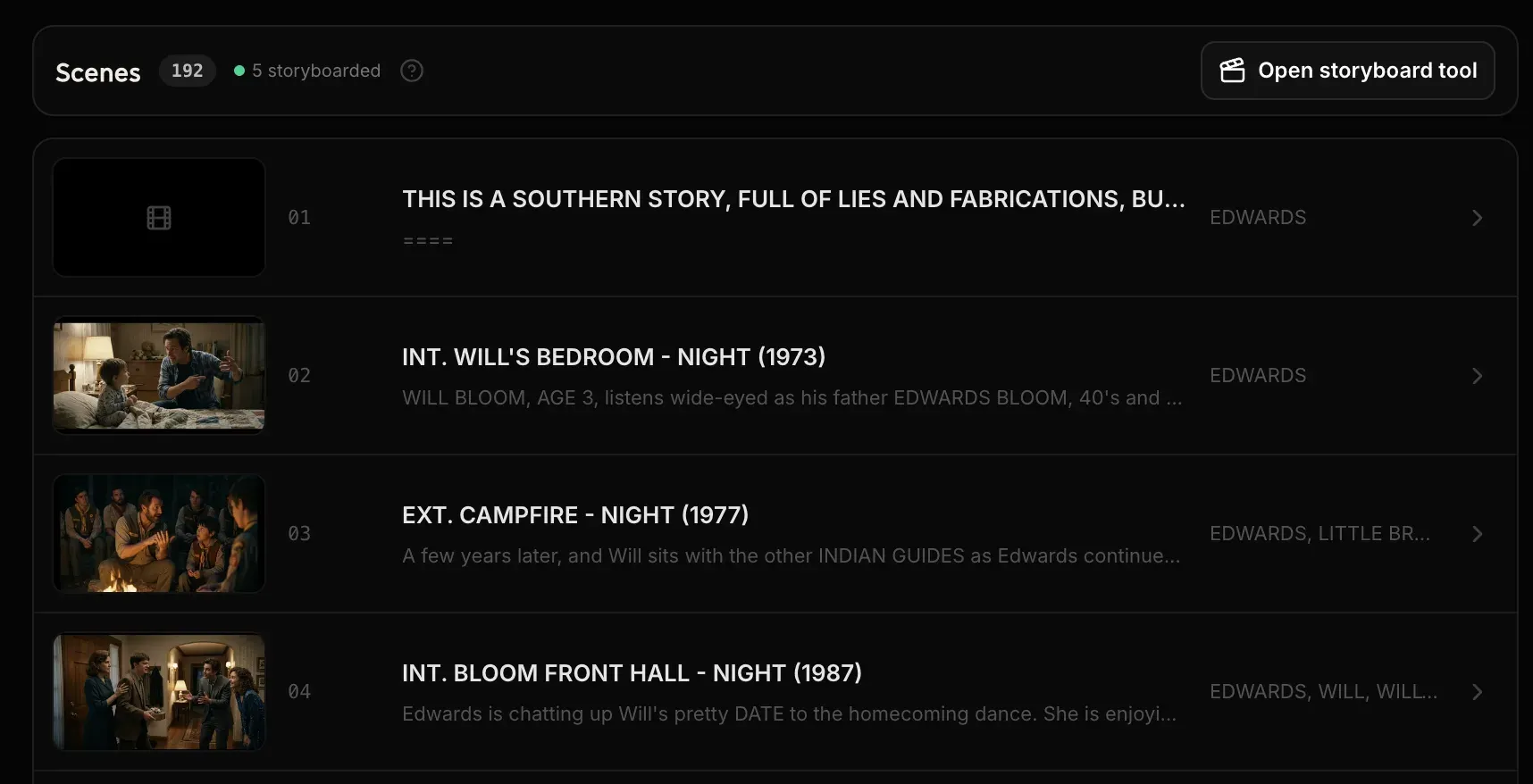
Scene storyboards
06
Deliver
Export the screenplay or the complete visual package.
Download Fountain, FDX, TXT, or a paginated PDF. The complete ZIP also gathers the poster, character and location references, scene images, storyboard sheets, and a project manifest. Overview mode shows every page exactly as it prints.
Fountain
Final Draft FDX
TXT and PDF
Complete project ZIP
Context, not another chat window
AI that knows what you are working on.
Put the cursor in a scene or select the exact lines you want to change. Melies adapts the available actions to that scope, explains the result, and shows the cost before writing.
01
Choose the scope
Use a text selection for a surgical pass or leave the cursor in a scene for scene-level help.
02
Confirm before generation
The action modal explains what will change and displays the exact credit cost before it runs.
03
Review without collisions
The page enters a visible writing state, protects manual input, and progressively reveals the proposed result.
04
Keep or reject
Compare rewrites, accept only what works, or return to the automatically saved pre-pass version.
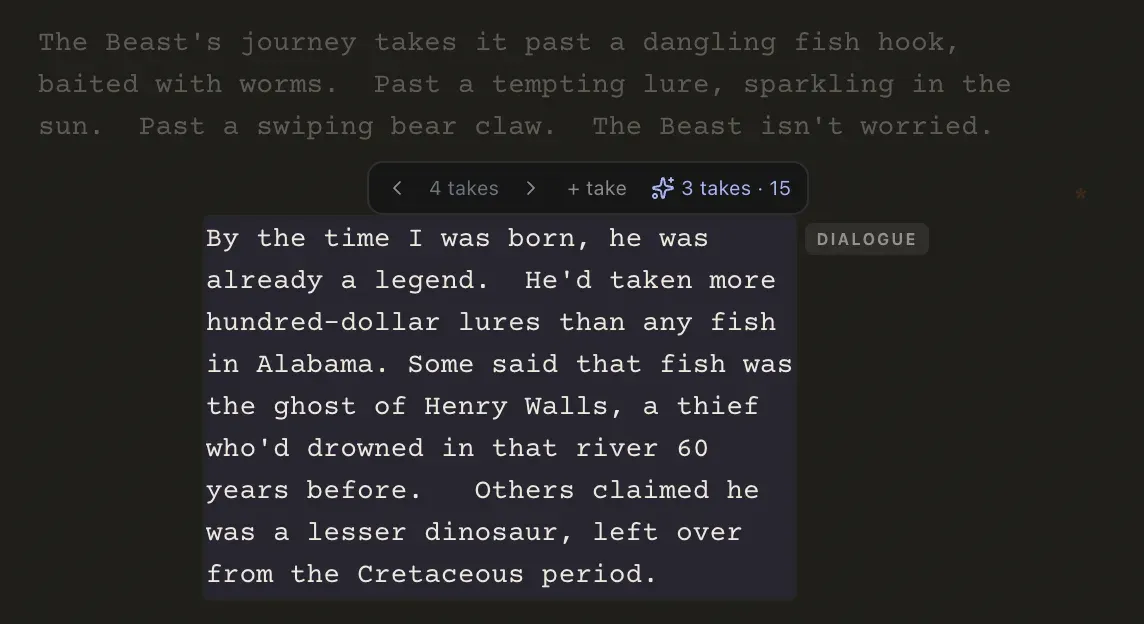
Every dialogue line keeps its alternative takes. AI writes three more when asked, cost shown first.
A visual story bible that travels
Continuity starts inside the screenplay.
Generate a portrait for each character and a reference for each location. When a scene becomes a storyboard, Melies automatically carries every available matching reference into the generation.
Every scene carries its storyboard frame, generated from the page it came from.
01
Character
Create the canonical portrait that holds identity across scenes.
02
Location
Establish the visual language of every recurring place.
03
Scene
Match the scene heading to its cast and location references.
04
Storyboard
Generate frames with the available visual bible attached.
Existing character, location, and scene previews stay available beside the editor and open in focused galleries with Previous and Next navigation. Missing references can be generated from the same context.
How the workflow works
From the first slugline to a production-ready handoff.
01
Start or import
Open a blank screenplay or bring in an existing TXT, Fountain, or Final Draft FDX file.
02
Write and structure
Format the pages, search the outline, navigate scenes, and watch characters and locations take shape.
03
Run a focused pass
Use AI only where it helps: a selection, a scene, the next beat, dialogue, or professional coverage.
04
Build visual continuity
Generate the poster, character and location references, then carry them into scene storyboards.
05
Deliver the project
Export the script alone or package the draft and every generated preview for the next production step.
A simple boundary
Writing is free. Generation uses credits.
Free accounts get the complete screenwriting workspace. A paywall appears only when you choose an AI action and do not have enough credits to run it.
Included freeWrite as much as the story needs.
Unlimited manual writing and screenplay formatting
Outline, scenes, characters, locations, and statistics
TXT, Fountain, and FDX import
Autosave, manual save, version snapshots, and restore
Fountain, FDX, TXT, PDF, and complete-project exports
Credit-based AIBring in the writers' room when you ask.
Rewrite a selection or the current scene
Dialogue polish, continue writing, coverage, and beat to scene
Character and location image references
Movie poster and scene storyboard generation
Connected multi-page storyboard workflow
Every action confirms its scope and exact credit cost before it runs.
Complete feature index
The whole writing room, in one place.
Draft
Scene, action, character, parenthetical, dialogue, transition, and shot elements
Enter flow plus Tab and Shift-Tab element cycling
INT./EXT., character, location, and time-of-day suggestions
Live screenplay pagination and editable title page
Organize
Searchable outline with highlighted matches and page references
Vertical production lists for scenes, characters, and locations
Accurate cast normalization for voice-over and shared cues
Pages, scenes, words, dialogue share, structural averages, and visual counts
Revise
Contextual rewrite, dialogue polish, continuation, coverage, and beat-to-scene actions
Selection-aware and scene-aware scopes
Confirmation, cost preview, protected writing state, and progressive result reveal
Before-and-after review with accept, reject, and version restore
Visualize
Generated character portraits and location references
Contextual scene previews with fast generation for missing visuals
Movie poster placed on the title page and included in PDF export
Scene storyboards that automatically reuse matching visual references
Deliver
Standalone Fountain, Final Draft FDX, TXT, and PDF files
Complete ZIP with poster, reference images, scene frames, and storyboard sheets
Project manifest for a clean production handoff
Connected screenplay-to-storyboard workflow for full-page boards
A workspace, not a prompt box
The writer keeps the decisions.
Melies uses AI for focused passes inside a real screenplay process. You still control structure, voice, pacing, and what makes the final draft.
Generic AI writerMelies Screenwriting
Context
A prompt and the text pasted into it.
The active selection, scene, cast, locations, and screenplay structure.
Control
A replacement draft arrives all at once.
Focused passes explain their scope and preserve the draft before writing.
Continuity
Visual references live in separate tools.
Character and location references travel into scene generations automatically.
Handoff
Copy the text and rebuild the project elsewhere.
Export the screenplay, poster, references, storyboards, and manifest together.
Built for screen stories
One workflow, from short films to features.
Feature films
Navigate a long draft without losing scene purpose, recurring characters, locations, or revision history.
Short films and proof of concepts
Move quickly from a contained script to a poster and visual plan that communicates the film.
Pilots and episodic stories
Track a larger cast, recurring places, scene distribution, and dialogue balance across a pilot draft.
Script revision and coverage
Work surgically on selected lines or ask for broader notes while the original version stays recoverable.
AI film previsualization
Use the screenplay as the shared source for character references, locations, scene frames, and storyboard sheets.
Questions, answered
AI screenwriting FAQ
What is AI screenwriting software?
AI screenwriting software combines a screenplay editor with artificial intelligence for focused writing tasks such as rewrites, dialogue polish, scene continuation, beat development, and coverage. Melies also connects the screenplay to character, location, poster, and storyboard generation.
Is the Melies screenplay editor free?
Yes. With a free account you can write, format, organize, import, save versions, view statistics, and export screenplays. Only AI writing and image generation use credits, and every generation shows its cost before it runs.
Can I import Final Draft, Fountain, or TXT screenplays?
Yes. You can import Final Draft FDX, Fountain, and plain TXT files, then continue editing them in the Melies screenwriting workspace.
Which screenplay formats can I export?
Melies exports Fountain, Final Draft FDX, TXT, and paginated PDF files. The poster appears on the PDF title page when one has been generated.
Can AI rewrite only selected text or the current scene?
Yes. Highlight exact lines for a selection-based rewrite or dialogue pass, or leave the cursor in a scene for scene-level actions. Melies confirms the scope before running and lets you review the result.
How do character and location image references work?
You can generate a canonical image for each detected character and location. When you generate a scene or storyboard, Melies automatically attaches every available matching reference to improve visual continuity.
Can I generate storyboards and a movie poster from my screenplay?
Yes. Generate scene frames from the Scenes view, create a poster from the title page, or continue into the dedicated screenplay-to-storyboard workflow for editable multi-panel sheets.
Can I export the screenplay with all generated previews?
Yes. Complete project export creates an organized ZIP containing the screenplay files, generated poster, character and location references, scene frames, storyboard sheets, and a JSON project manifest.
Does Melies replace the screenwriter?
No. Melies is designed to reduce formatting friction, keep story context visible, and provide focused options when requested. The writer keeps control of theme, voice, structure, pacing, and every accepted change.