
AI Video Generator
Generate professional AI videos from text descriptions or still images. Choose from leading video models, apply cinematic camera movements, and maintain character consistency. All in one tool built for filmmakers and creators.
See the motion before you choose a model
Watch how each shot moves, then write a new one in the tool above.
03 06
The visual proof stays close to the workflow
Start from text or a still, carry a character reference, and use camera language for the shot.
01
Carry a character across shots
Use real actor references to anchor identity before the model invents motion.
02
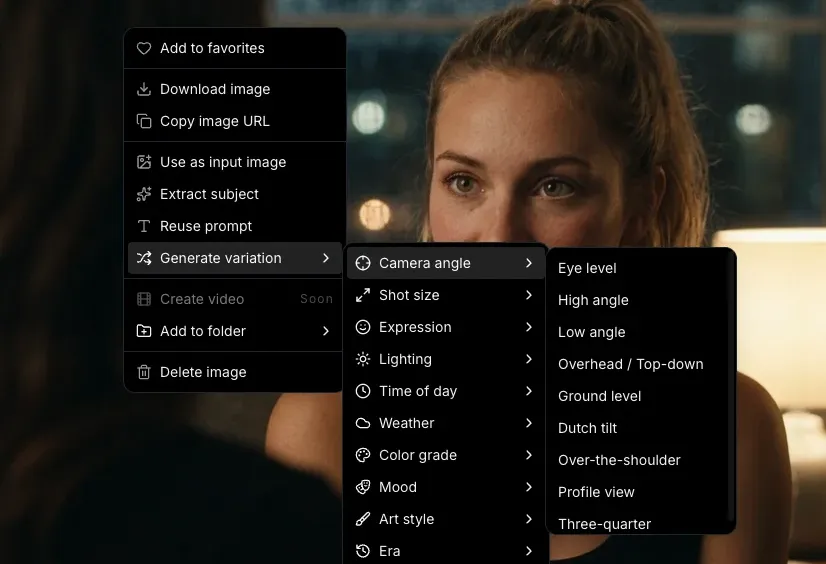
Choose a move by feel
Preview camera language and write the shot brief with a real filmmaker vocabulary.
03
Keep the look coherent
Apply lighting and visual style references while the image remains the anchor for motion.
04
Review motion before the timeline
Use short clips as previz, then move the usable shot into the rest of your Melies workflow.
From shot brief to a ready draft
Model settings and credit cost stay visible before you generate.
Describe your scene or upload an image
Type a text prompt describing the video you want: subject, action, mood, camera movement. Or upload a still image and let the AI animate it. Both workflows produce cinematic results.
Choose your AI model and settings
Pick from Kling, Veo, Sora, Wan, and more. Each model has a distinct motion style. Set your aspect ratio, duration, and camera movement preset. Compare outputs across models to find the best fit.
Generate, extend, and compose
Your video generates in seconds. Extend the clip, chain it with other shots, add a voice-over or soundtrack, and build a full sequence in the timeline editor. No switching tools.
Pick the model for this shot
Compare available models and choose the fit for your motion.
 Kling 3.0 ProBest motionKling 2.6 ProSmooth & stable
 Veo 3.1Cinematic realism
 Sora 2Creative storytelling
 Wan 2.2Style transfer
 Hailuo 2.3Expressive motion
 Seedance 1.5Dance & action
 Runway Gen-4Filmmaker favorite
AI video generation, with the constraints visible
Learn how text, stills, duration, resolution, audio, and motion limits work.
What is an AI video generator?
An AI video generator is a tool that creates video content from text descriptions or images using artificial intelligence. You write a prompt describing the scene (or upload an image), and the AI generates a video clip with realistic motion, lighting, and camera work. Modern AI video generators produce clips that rival professionally shot footage.
Is this AI video generator free?
You can create a Melies account and explore the video generator. Generating videos requires credits from a paid plan. Paid plans unlock more credits, priority generation, and access to premium models like Veo 3 and Sora 2.
What is the best AI video generator in 2026?
The best AI video generator depends on your use case. Kling 3.0 Pro produces the most realistic motion. Google Veo 3.1 excels at cinematic depth and lighting. Sora 2 is strongest for creative storytelling. Melies gives you access to all of these in one tool, so you can compare and choose the best model for each shot.
Can I generate videos from text prompts?
Yes. Text-to-video lets you describe a scene in words (subject, action, setting, camera movement, lighting) and the AI generates a matching video clip. For example: 'A woman walks through a rain-soaked Tokyo street at night, slow dolly forward, neon reflections.' The more specific your prompt, the better the result.
Can I generate videos from images?
Yes. Image-to-video lets you upload a still image (a photo, AI-generated image, illustration, or screenshot) and the AI animates it into a video clip. You control the motion with a text prompt or by selecting a camera movement preset.
Which AI video models are available?
Melies offers Kling 3.0 Pro, Kling 2.6 Pro, Veo 3.1, Sora 2, Wan 2.2, Hailuo, Seedance 1.5, and Runway Gen-4. Each model has a different strength: Kling for smooth motion, Veo for cinematic quality, Sora for storytelling, Wan for style transfer.
How long are AI-generated videos?
Generated clips are typically 3 to 10 seconds long depending on the model. You can extend any clip by generating a continuation from the final frame, chain multiple clips together on the timeline, and build full sequences of any length.
What resolution do AI videos generate at?
Most models generate at 720p or 1080p resolution. Premium models like Veo 3 produce the highest quality with the best physics and lighting simulation. All output is suitable for social media, presentations, and professional use.
Keep the shot brief. Move into the timeline.
Your prompt and settings are kept when you create an account.