
AI Background Remover

Remove the background from a photo, portrait, product shot, or screenshot. Get a clean transparent PNG that is ready for compositing, design, and video workflows.
Drop an image or click to upload
JPG, PNG, WebP up to 10MB
After removal
Inspect the cutout
Drag across hair, contours, and object edges
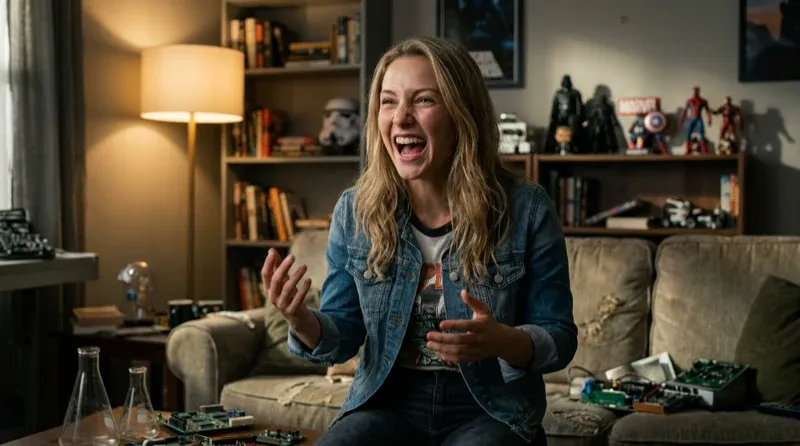
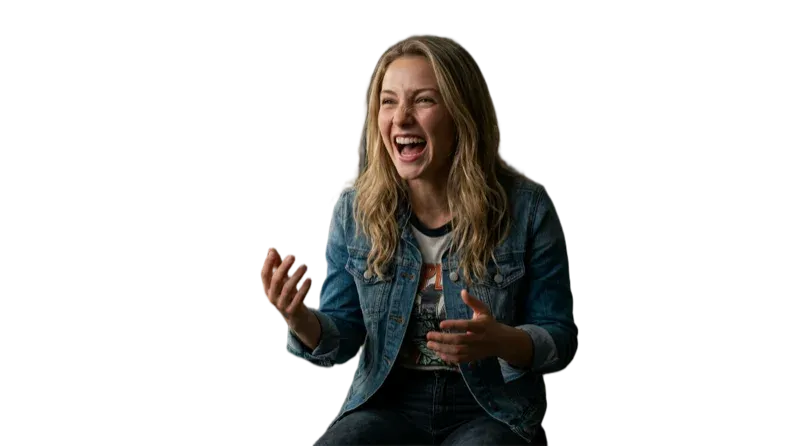
How to remove a background with AI
Upload your image
Drop a portrait, product photo, group shot, logo, or screenshot. The current uploader supports JPG, PNG, and WebP files up to 10MB.
AI removes the background
The AI analyzes your image, detects the subject, and removes the background with precise edge detection. It handles hair, fur, transparent objects, and complex shapes automatically.
Download your transparent PNG
Your background-free image is ready in seconds. Download as a high-resolution transparent PNG. Use it in designs, composites, video projects, or product listings.
Cutout quality
What makes this background remover different
Most background removers struggle with fine details. Melies uses the latest AI models to handle the hardest cases — hair strands, glass objects, motion blur, and complex lighting — with clean, production-ready results.
- Precise Edge Detection
- AI that understands hair strands, fur, transparent glass, semi-transparent fabrics, and wispy edges. Clean cutouts with no visible artifacts or halos around the subject.
- Instant Processing
- Upload, process, and download in one focused workflow. Processing time varies with the source image and service availability.
- High-Resolution Output
- Export a high-resolution transparent PNG that is ready for web, design, or video production.
- Works with Any Subject
- People, products, animals, logos, text, vehicles, food, furniture — the AI handles every type of subject. No manual selection or masking needed.
- One Image at a Time
- Process and inspect one source image at a time. Each finished cutout is saved to your Melies asset library for reuse.
- Part of the Creative Pipeline
- Your background-free image feeds directly into other Melies tools. Composite it into an AI-generated scene, use it as a video overlay, or create product placements — all without leaving the platform.
What can you do with background-free images?
Removing the background is just the first step. Here's what creators and businesses do with their transparent PNGs.
- 01E-commerce & Product ListingsClean white or transparent backgrounds for Amazon, Shopify, Etsy, and any marketplace. Meet listing requirements automatically without manual editing or Photoshop skills.
- 02Social Media ContentCut out subjects and place them on branded backgrounds, gradient designs, or AI-generated scenes. Create polished social posts, stories, and ads in minutes.
- 03Film & Video ProductionExtract actors, props, and objects for compositing into scenes. Use background-free assets as overlays in video projects, green screen replacements, or motion graphics.
- 04Thumbnails & MarketingCreate YouTube thumbnails, ad banners, and marketing materials with clean subject cutouts. Layer text, effects, and backgrounds to build attention-grabbing visuals.
- 05Headshots & PortraitsRemove distracting backgrounds from professional headshots, team photos, and ID portraits. Replace with solid colors, gradients, or professional studio backdrops.
- 06Design & CompositingExtract elements from photos for use in graphic design, presentations, mood boards, and creative composites. Build layered designs from real-world images without manual masking.
Remove backgrounds in one click
Upload an image and get a transparent PNG without drawing a manual mask. Keep the cutout in your asset library, place it over a scene, or generate a new background.
AI background remover: frequently asked questions
Practical answers before you start creating.
Remove your first background in seconds
Upload any image and get a clean transparent PNG instantly. Ready to create — choose a plan to generate and export.
Choose a plan to generate and export