
AI Camera Movement Generator

Guide AI camera movement from a still image. Prompt named AI camera movements such as push-in, orbit, pan, dolly, crane, or a locked-off shot, then generate a short image-to-video clip for previz, social content, product reveals, or scene tests.
Upload your source image
JPG, PNG, or WebP
Presets
Settings
Speed
Duration
AI camera movement product facts
What this Melies camera-motion workflow supports today.
- Input
- Still image + motion prompt
- Start from an uploaded frame and describe camera direction, speed, subject motion, and style.
- Backend
- Image-to-video generation
- The selected model controls how closely the final clip follows the requested camera movement.
- Output
- Video asset
- Generated clips are saved in Melies and can be downloaded or reused in video workflows.
- Limits
- Not deterministic
- Presets and prompts guide the model. Exact dolly, orbit, pan, or zoom paths are not guaranteed.
How to create AI camera movement
Upload a frame
Use a clean still image, AI frame, product shot, character reference, or storyboard panel as the visual starting point.
Describe the camera move
Prompt a push-in, pull-back, pan, tilt, orbit, crane, handheld drift, or locked-off shot. Add speed and mood when it matters.
Generate and compare
Run the model, review the motion, and iterate with tighter prompts if the move, identity, or framing needs adjustment.
Direct the move
Camera-style prompting without overpromising control
The search intent expects camera controls. Melies frames them accurately: camera language improves direction, while the video model still determines the final motion.
- Camera Move Vocabulary
- Use filmmaker-friendly terms like push-in, orbit, crane up, pan right, handheld drift, and static lock-off.
- Image-Anchored Motion
- The uploaded frame gives the model composition and subject cues before movement is generated.
- Speed and Energy Language
- Prompt gentle, slow, fast, dramatic, subtle, handheld, smooth, or locked movement to steer the feel.
- Model Choice
- Different providers handle parallax, faces, hands, products, and camera motion differently.
- Previz Workflow
- Use generated clips to test shot energy before building a sequence or committing to a final model.
- Artifact Awareness
- Complex depth, text, logos, limbs, and reflective products can warp. Review each result before publishing.
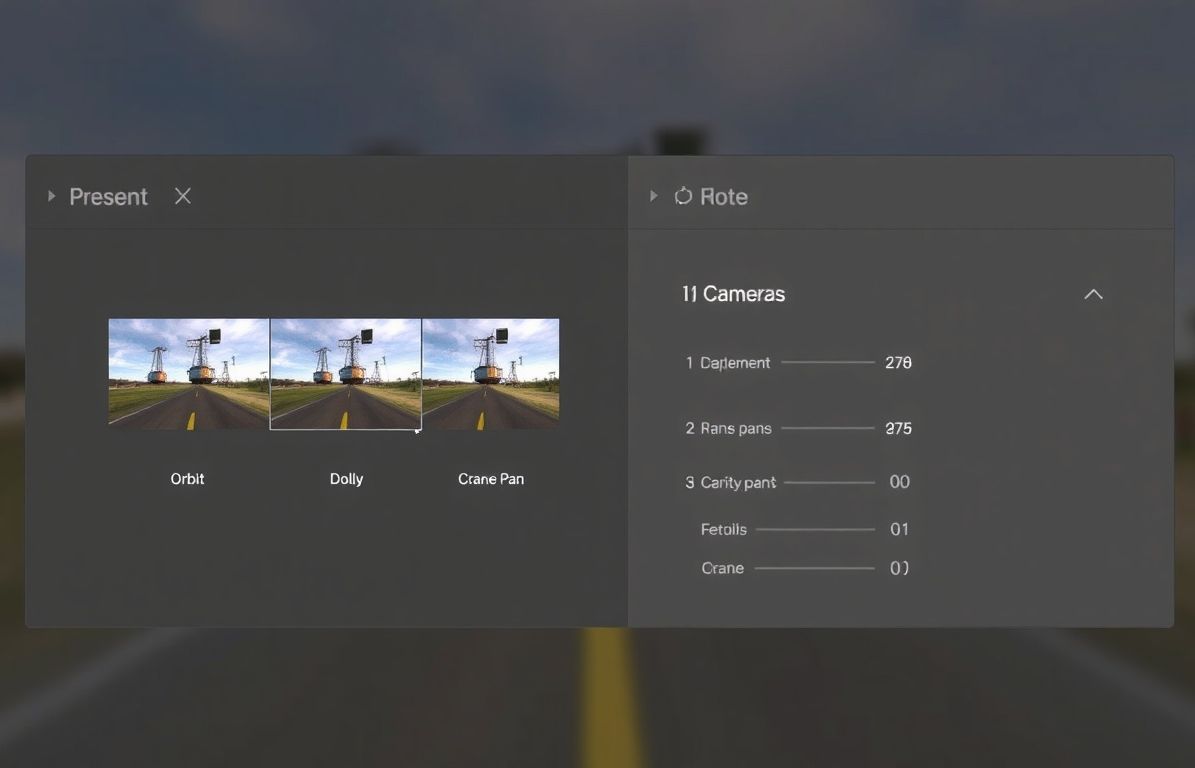
Camera movement prompts to try
Treat these as prompt recipes. They guide the model, but the output can vary by source image and provider.
- Browse named movements instead of prompt-engineering camera motion
- Pick dolly, crash zoom, orbit, crane, pan, tilt, FPV, or cinematic presets
- Preview the motion visually before applying it to your image or clip
- Combine movement presets with model, duration, speed, and visual style controls
Push and Pull
- slow push in
- pull back reveal
- dolly forward
- gentle zoom out
Pan and Tilt
- pan right
- pan left
- tilt up reveal
- tilt down to subject
Orbit and Fly
- subtle orbit left
- orbit right around subject
- crane up
- drone-like rise
Cinematic and Static
- handheld drift
- locked tripod
- slow parallax
- rack focus feel
Shot applications
Where camera movement AI helps
Use camera motion when a still image needs a sense of pace, reveal, or shot design.
- 01Film PrevizTest a push-in, orbit, or reveal on storyboard frames before creating final shots.
- 02Social HooksAdd movement to static images so they feel native to short-form feeds.
- 03Product RevealsCreate subtle pushes, pull-backs, and parallax tests from product or lifestyle frames.
- 04Music VisualsMatch the energy of a track with motion prompts for backgrounds, portraits, and generated scenes.
- 05Architecture ConceptsTurn renders and interiors into quick walkthrough-style motion experiments.
- 06Educational VisualsAnimate diagrams, scene references, or explainer frames with gentle movement.
AI camera movements from a still frame
Upload a frame, describe an AI camera movement, and compare generated clips until the motion fits the shot.
For dolly, jib, and cinematic presets, read the AI camera movements guide.
AI camera movement: frequently asked questions
Practical answers before you start creating.
Guide motion with camera language
Upload a frame, prompt the move, and generate a short AI video clip.
Choose a plan to generate and export