

Sports & Action
Slow down highlights, tricks, and reaction moments so viewers can see the detail.
Frame interpolation
Turn a normal-speed clip into smooth 2× or 4× slow motion. AI creates the missing frames between recorded moments, then exports a new MP4 for your edit.
Every splash becomes visible
Three AI frames between each original
4 sec source → 16 sec output
One generated shot at three speeds. Melies creates the missing frames between the originals.
Control the retime
Upload a short source clip, choose a speed, then generate. Slower settings create more in-between frames and a longer output.
Slow-motion speed
From 5 credits · priced by clip and speed · MP4 output · source audio retimed and preserved
What interpolation does
Simply stretching playback repeats frames and looks choppy. Frame interpolation estimates motion between them so the retimed clip keeps visual continuity.
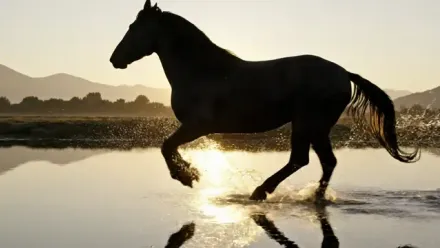
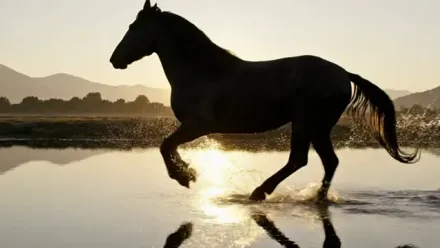
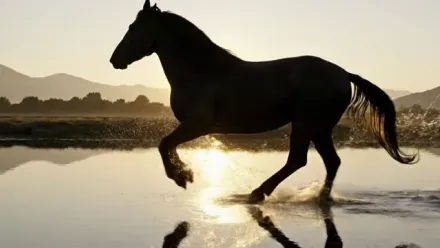
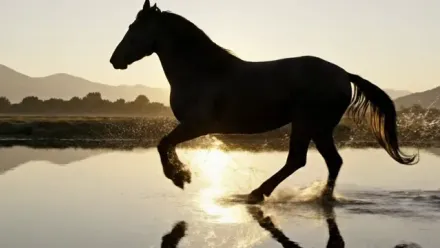
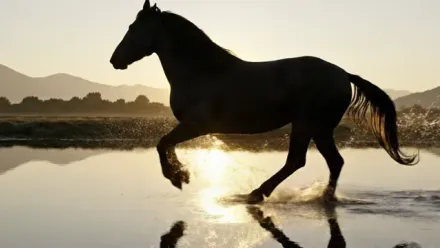
Shown at 4× slow motion: three AI-generated frames bridge two consecutive frames captured by the camera.
Choose the factor
A subtle slowdown for emotional beats, product moments, and everyday motion.
Classic slow motion for reveals, highlights, and action details.
Where it works best
Fast action, particles, fabric, water, and camera movement benefit most when the source is sharp and free of hard cuts.
Slow down highlights, tricks, and reaction moments so viewers can see the detail.
Add more drama to product reveals, unboxings, pours, spins, and hero shots.
Stretch waves, landscapes, movement, and atmospheric clips into calmer visual moments.
Turn a key moment in a recap or social edit into a smoother slow-motion beat.
Slow down performance details and body movement for expressive edits.
Use 4x on short clips where water, fabric, hair, or particles move clearly.
Continue the edit
Practical answers before you start creating.
Create smooth AI slow motion from the footage you already have.