

Credits are your production budget. Like any budget, spending them wisely means you can make more with less. This guide covers practical strategies for optimizing your credit spend on Melies, from choosing the right model for each task to building efficient workflows.
Quick answer: Save Melies credits by using the two-pass workflow: draft with Flux Schnell (2 credits for images) and LTX 2 Pro (50 credits for video), then render finals with premium models only for validated scenes. Use variations instead of regenerating from scratch, right-size models to each shot's importance, and use the free Movie Idea Generator for planning. This approach can reduce credit spend by 16% or more.
Understanding the Credit System
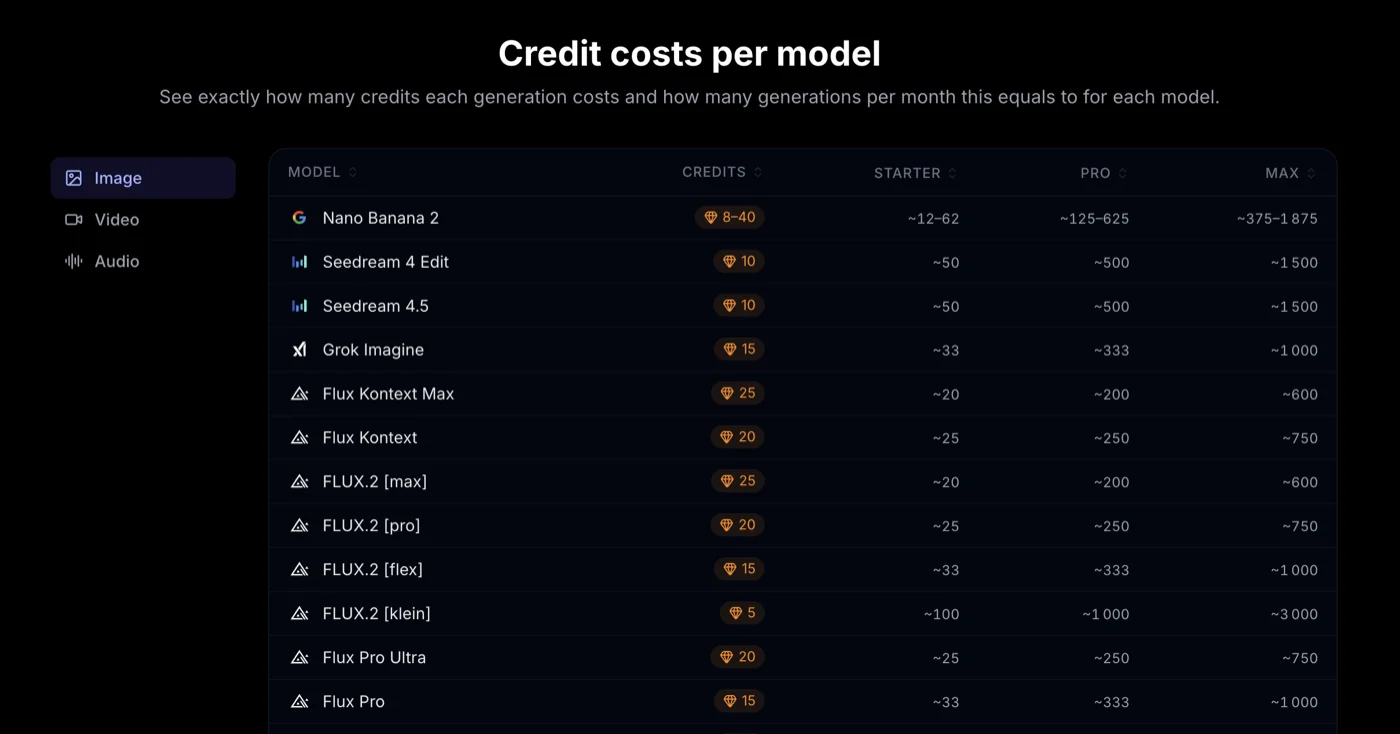
Every generation on Melies costs credits. The cost varies by model, and within some models, by resolution or duration. Here is the full pricing landscape.
Image Model Credits
| Model | Credits | Speed | Quality |
|---|---|---|---|
| Flux Schnell | 2 | Fastest | Basic |
| FLUX.2 klein | 5 | Fastest | Good |
| Flux Dev | 10 | Medium | Good |
| Nano Banana | 10 | Fast | Good |
| Seedream 4 Edit | 10 | Medium | High |
| Seedream 4.5 | 10 | Medium | High |
| Nano Banana 2 | 15 (8-40 by res) | Fast | Best |
| Nano Banana Pro | 15 | Medium | High |
| Flux Pro | 15 | Medium | High |
| FLUX.2 flex | 15 | Fast | Good |
| Grok Imagine Image 2.0 | 10-15 | Medium | Best |
| Flux Pro Ultra | 20 | Slow | High |
| FLUX.2 pro | 20 | Medium | High |
| Flux Kontext | 20 | Medium | High |
| FLUX.2 max | 25 | Slow | Best |
| Flux Kontext Max | 25 | Slow | Best |
Video Model Credits
| Model | Credits | Speed | Quality | Duration |
|---|---|---|---|---|
| LTX 2 Pro | 50 | Fast | Good | ~4.8s |
| WAN v2.2 | 60 | Medium | Good | ~5s |
| Kling v3 Standard | 60 | Medium | Good | 3-15s |
| Hailuo 02 | 70 | Medium | Good | 6 or 10s |
| Seedance 2.5 | 50/sec | Medium | Best | 4-30s |
| Kling O3 Standard | 80 | Medium | High | 3-15s |
| Kling v3 Pro | 100 | Medium | High | 3-15s |
| Veo 3.1 | 400 | Slow | Best | 4-8s |
Free Tools
The Movie Idea Generator is completely free. Use it as much as you want without spending any credits.
Strategy 1: The Two-Pass Workflow
The single most effective credit optimization strategy. Never render finals on your first attempt.
Pass 1: Draft (Low Cost)
Use budget models to test your ideas quickly:
- Images: Flux Schnell (2 credits) or FLUX.2 klein (5 credits)
- Videos: LTX 2 Pro (50 credits)
At this stage you are testing:
- Does the prompt produce what you want?
- Is the composition right?
- Does the motion work?
- Is the scene idea effective?
Pass 2: Final (Premium Quality)
Once you have validated your concept, re-render with premium models:
- Images: Nano Banana 2 (15 credits) or FLUX.2 max (25 credits)
- Videos: Kling v3 Pro (100 credits) or Veo 3.1 (400 credits)
- Long videos with native audio: Seedance 2.5 (50 credits per second at 720p)
The Math
Say you are producing 10 scenes for a short film:
Without two-pass (rendering finals immediately):
- 10 images at FLUX.2 max: 250 credits
- Assume 3 attempts per scene to get it right: 750 credits
- 10 videos at Kling v3 Pro: 1,000 credits
- Assume 2 attempts per scene: 2,000 credits
- Total: ~2,750 credits
With two-pass:
- 10 draft images at Flux Schnell: 20 credits
- 3 attempts per scene: 60 credits
- 10 final images at FLUX.2 max (one shot each): 250 credits
- 10 draft videos at LTX 2 Pro: 500 credits
- 2 attempts per scene: 1,000 credits
- 10 final videos at Kling v3 Pro (one shot each): 1,000 credits
- Total: ~2,310 credits
That is a 16% savings, and the gap grows with more complex projects where you need more iterations.
Strategy 2: Right-Size Your Model
Not every scene needs the most expensive model. Match the model to the shot's importance:
Hero Shots (Premium)
These are the defining images and videos of your project - the ones that will be in the trailer, the thumbnail, and the key moments. Use your best models:
- Images: Nano Banana 2, FLUX.2 max, Flux Kontext Max
- Videos: Veo 3.1, Kling v3 Pro
Working Shots (Mid-Range)
Most of your scenes fall here - good quality, but not the showcase moments:
- Images: Flux Pro (15), Seedream 4.5 (10), Nano Banana (10)
- Videos: Kling v3 Standard (60) or Hailuo 02 (70)
Background and Transition Shots (Budget)
Establishing shots, transitions, and brief cutaways do not need premium quality:
- Images: Flux Dev (10), FLUX.2 klein (5)
- Videos: LTX 2 Pro (50), WAN v2.2 (60)
Model Selection by Scene Type
| Scene Type | Image Model | Video Model | Why |
|---|---|---|---|
| Close-up character | Nano Banana 2 (15) | Kling v3 Pro (100) | Character detail matters |
| Dialogue | Nano Banana 2 (15) | Kling v3 Pro (100) | Need lip sync and consistency |
| Wide establishing | Seedream 4.5 (10) | LTX 2 Pro (50) | Less detail scrutiny |
| Action sequence | Flux Pro (15) | Seedance 2.5 (500 for 10s at 720p) | Long motion and continuity matter |
| Atmosphere/mood | Flux Dev (10) | Hailuo 02 (70) | Mood over detail |
| Quick cutaway | FLUX.2 klein (5) | LTX 2 Pro (50) | On screen briefly |
Strategy 3: Generate Variations Instead of Regenerating
When a generation is close but not quite right, use variations instead of starting over.
Why Variations Are Better
Regenerating from scratch: Every new generation is completely independent. You might get something better, but you might also lose what was already working.
Generating variations: Variations build on what you have. They change specific aspects (lighting, angle, expression) while preserving the base composition and subject.
Available Variation Categories
| Category | What Changes | Options |
|---|---|---|
| Camera angles | Perspective on the subject | 9 angles from eye level to overhead |
| Shot sizes | How close or far the camera is | 9 sizes from extreme close-up to wide |
| Expressions | Character's facial expression | 23 expressions across 3 packs |
| Lighting | Light direction and quality | 10 setups |
| Time of day | Ambient light and color | 7 options |
| Weather | Environmental conditions | 7 options |
| Color grades | Overall color treatment | 10 grades |
| Mood | Emotional atmosphere | 12 moods |
| Art styles | Visual rendering approach | 17 styles |
| Eras | Period-appropriate aesthetic | 12 eras |
Practical Example
You generated a character portrait. The face is great, but the lighting is too flat.
- Bad approach: Regenerate entirely. You might lose the face you liked. (15 credits wasted)
- Good approach: Generate a variation with "Rembrandt" lighting. The face stays, only the lighting changes. (Same cost, better outcome)
Strategy 4: Resolution Management
Some models charge more for higher resolutions. Be strategic:
Nano Banana 2 Resolution Pricing
| Resolution | Credits |
|---|---|
| 0.5K | 8 |
| 1K | 15 |
| 2K | 25 |
| 4K | 40 |
That is a 5x difference between lowest and highest resolution.
When to Use High Resolution
- Final renders for export
- Close-up shots where detail matters
- Poster and marketing images
- Scenes that will be viewed at full screen
When Low Resolution Is Fine
- Drafting and concept testing
- Background elements
- Thumbnails and previews
- Quick iteration cycles
Draft at Low, Render at High
Generate your draft at 0.5K or 1K (8-15 credits). Once you have the exact composition and prompt you want, re-render at 2K or 4K (25-40 credits) for the final version.
Strategy 5: Use Free Tools Generously
The Movie Idea Generator costs zero credits. Use it for:
- Project development: Generate 10-20 concepts before committing to production
- Scene inspiration: Use generated synopses to inspire your scene prompts
- Character development: Character descriptions inform your AI Actor selections and image prompts
Every minute spent in the free planning tools is credits saved in production.
Strategy 6: Plan Your Shot List
Before generating a single image, plan your entire project:
- Write all scene descriptions first
- Assign models to each scene based on importance
- Estimate total credit cost before starting
- Identify scenes that can share settings (same location = reuse background images)
- Determine which scenes need character consistency (use Kling v3 Pro multi-shot for these)
Credit Budget Template
| Scene | Image Model | Image Credits | Video Model | Video Credits | Total |
|---|---|---|---|---|---|
| 1 - Establishing | Seedream 4.5 | 10 | LTX 2 Pro | 50 | 60 |
| 2 - Character intro | Nano Banana 2 | 15 | Kling v3 Pro | 100 | 115 |
| 3 - Dialogue | Nano Banana 2 | 15 | Kling v3 Pro | 100 | 115 |
| 4 - Action | Flux Pro | 15 | Seedance 2.5, 10s | 500 | 515 |
| 5 - Climax | FLUX.2 max | 25 | Veo 3.1 | 400 | 425 |
| 6 - Resolution | Seedream 4.5 | 10 | Kling v3 Standard | 60 | 70 |
| Total | 90 | 1,210 | 1,300 |
Add a 30-50% buffer for iterations, and your real budget is closer to 1,690-1,950 credits for this 6-scene project. For exact duration and resolution estimates, use the Seedance 2.5 pricing guide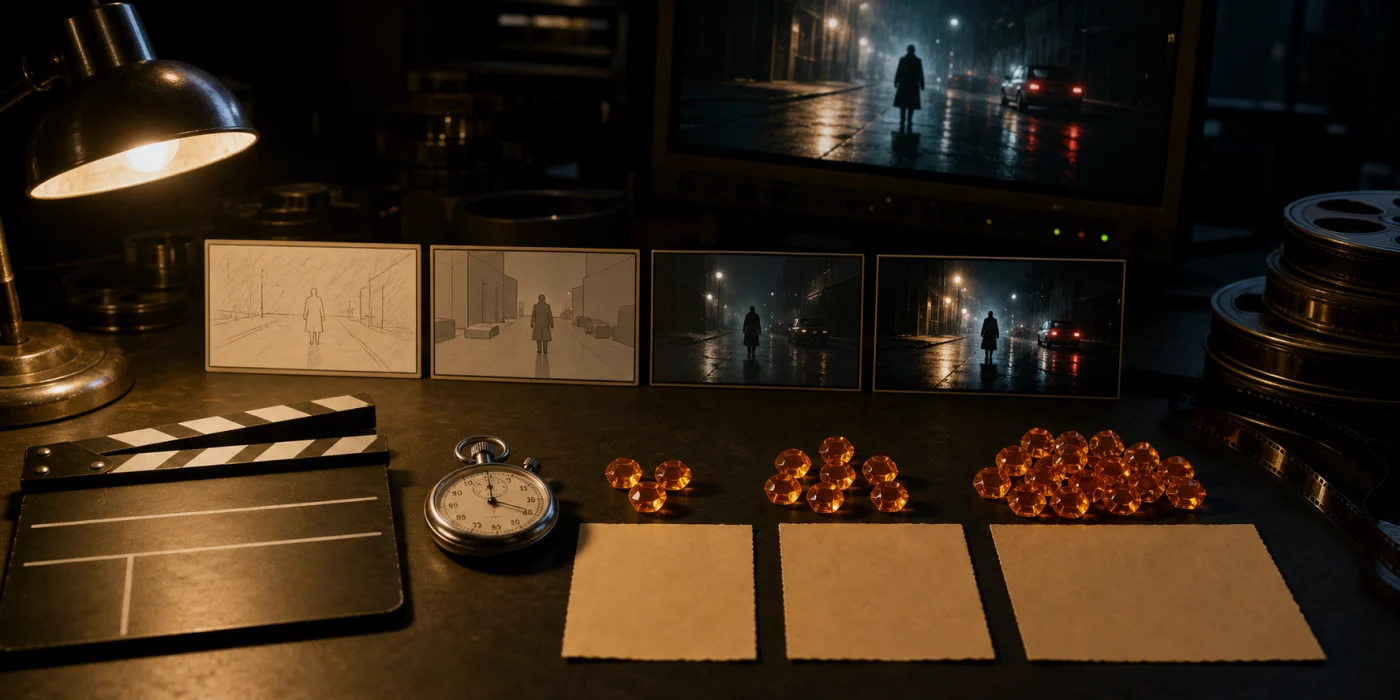 Seedance 2.5 Pricing: Credits, Cost per Second and PlansSee Seedance 2.5 pricing per second in Melies, fal.ai API costs, BytePlus billing, plan capacity, and practical ways to reduce AI video costs in 2026..
Strategy 7: Batch Similar Work
Generate all images for similar scenes together:
- All exterior shots in one session (same lighting, same model, same style cues)
- All character close-ups together (same model, same reference image)
- All wide establishing shots together (same aspect ratio, same color grade)
Batching helps you stay consistent and avoids switching between models and settings, which can lead to visual inconsistency and wasted regenerations.
Quick Reference: Credit-Saving Decisions
| Situation | Save Credits By |
|---|---|
| Testing a new prompt idea | Using Flux Schnell (2 credits) |
| Iterating on composition | Using FLUX.2 klein (5 credits) |
| Testing video motion | Using LTX 2 Pro (50 credits) |
| Adjusting lighting on a good image | Using variations, not regenerating |
| Building establishing shots | Using mid-range models, not premium |
| Planning a project | Using the free Movie Idea Generator |
| Drafting at any stage | Using lower resolution options |
| Final hero shots | Paying for premium (this is where credits matter) |
What to Try Next
- Pricing - See credit packages and plans
- Credits guide
 Credits & Pricing: How Melies Credits WorkUnderstand how Melies credits work for AI image and video generation. See costs per model, resolution pricing, and tips to optimize your budget. - Full credit pricing documentation
 - AI models guide
 AI Models Guide: Choosing the Right ModelCompare current AI image and video models in Melies. Choose the right model for filmmaking based on duration, resolution, features, and credit cost. - Detailed model comparisons
 - How to Create an AI Film
 AI Filmmaking: How to Create an AI Film from Idea to ExportLearn the complete AI filmmaking workflow with Melies. Generate ideas, cast AI actors, create storyboards, produce video clips, edit on a timeline, and export your finished AI film. - End-to-end production guide
 - AI Image Generator - Start generating images
- AI Video Generator - Start generating videos