

Melies gives you access to 16 image models from four different providers. Choosing the right model can make the difference between a fast prototype and a polished final image - and it significantly affects your credit spend.
This guide compares every available model so you can pick the best one for your specific use case.
Quick answer: For best quality, use FLUX.2 max (25 credits) or Nano Banana 2 (15 credits, up to 4K). For best value, Seedream 4.5 (10 credits) matches Flux Dev quality at the same price with better resolution options. For fast iteration, Flux Schnell (2 credits) is the cheapest and fastest. Melies offers all 16 models from Black Forest Labs, Google, ByteDance, and xAI in one platform.
Quick Comparison Table
| Model | Provider | Credits | Speed | Quality | Resolution |
|---|---|---|---|---|---|
| Flux Schnell | Black Forest Labs | 2 | Fastest | Basic | Standard |
| FLUX.2 klein | Black Forest Labs | 5 | Fastest | Good | Standard |
| Flux Dev | Black Forest Labs | 10 | Medium | Good | Standard |
| Seedream 4.5 | ByteDance | 10 | Medium | High | Auto/2K/4K |
| Seedream 4 Edit | ByteDance | 10 | Medium | High | Auto/2K/4K |
| Nano Banana | 10 | Fast | Good | 1K | |
| Flux Pro | Black Forest Labs | 15 | Medium | High | Standard |
| Grok Imagine Image 2.0 | xAI | 10-15 | Medium | Best | 1K-2K, editing, 13 ratios |
| Nano Banana 2 | 15 | Fast | Best | 0.5K-4K | |
| Nano Banana Pro | 15 | Medium | High | 1K-4K | |
| FLUX.2 flex | Black Forest Labs | 15 | Fast | Good | Up to 14142px |
| Flux Pro Ultra | Black Forest Labs | 20 | Slow | High | Up to 2K |
| Flux Kontext | Black Forest Labs | 20 | Medium | High | 9 ratios |
| FLUX.2 pro | Black Forest Labs | 20 | Medium | High | Up to 14142px |
| Flux Kontext Max | Black Forest Labs | 25 | Slow | Best | 9 ratios |
| FLUX.2 max | Black Forest Labs | 25 | Slow | Best | Up to 14142px |
The Flux Family (Black Forest Labs)
Black Forest Labs offers the widest range of models, from the cheapest option to the highest quality. Understanding the Flux family is key to optimizing your workflow.
Flux Schnell - The Speed King (2 Credits)
The fastest and cheapest model in Melies. Schnell (German for "fast") is designed for rapid iteration.
Best for: Testing prompt ideas, brainstorming compositions, quick concepts Not ideal for: Final production images, detailed work Speed: Fastest Quality: Basic - good enough to evaluate a prompt, not polished enough for final use
When to use it: Always start here. At 2 credits per image, you can generate dozens of variations while refining your prompt before switching to a premium model.
FLUX.2 klein - Budget Quality (5 Credits)
A step up from Schnell with noticeably better quality while staying fast and cheap.
Best for: Extended iteration sessions, storyboard drafts, social media content Not ideal for: High-resolution final renders Speed: Fastest Quality: Good - a solid balance of speed and quality
When to use it: When Schnell is not quite good enough but you still need speed. At 5 credits, it is the sweet spot for draft-quality work.
Flux Dev - The All-Rounder (10 Credits)
The community favorite. Flux Dev offers good quality at a reasonable credit cost with standard aspect ratios.
Best for: General-purpose generation, concept art exploration, mid-fidelity work Not ideal for: Ultra high-resolution or maximum quality needs Speed: Medium Quality: Good
When to use it: When you need real quality but are still exploring options. A strong default choice.
Flux Pro - Production Ready (15 Credits)
The production-grade Flux model. Reliable quality with consistent results.
Best for: Production-ready images, client presentations, final storyboard frames Speed: Medium Quality: High
When to use it: When you are ready to commit to a composition and need high-quality output. The standard choice for professional work.
FLUX.2 flex - Flexible Resolution (15 Credits)
Fast model with the unique ability to generate custom resolutions up to 14142px.
Best for: Non-standard resolutions, panoramic images, ultrawide compositions Speed: Fast Quality: Good
When to use it: When you need a specific resolution or aspect ratio that standard models do not support.
Flux Pro Ultra - Premium Output (20 Credits)
Higher-quality Flux Pro with support for resolutions up to 2K.
Best for: High-resolution final renders, print-quality output Speed: Slow Quality: High
When to use it: When you need larger output than standard Flux Pro but do not need the extreme resolution of FLUX.2 models.
Flux Kontext - Character Consistency (20 Credits)
Specialized for character consistency and text rendering. Accepts reference images to guide generation.
Best for: Maintaining character consistency, images with readable text, reference-guided generation Speed: Medium Quality: High
When to use it: When you need the same character across multiple images and are working with AI actors AI Character Generator: Create Consistent AI CharactersUse the Melies AI character generator to create consistent characters across scenes. Browse 148 pre-built AI actors and generate images with the same character every time.. Also excellent when your image needs legible text.
FLUX.2 pro - High-Res Quality (20 Credits)
High quality with custom resolution support up to 14142px.
Best for: High-resolution production images, detailed scenes Speed: Medium Quality: High
When to use it: When you want Flux Pro quality but need custom resolution support.
Flux Kontext Max - Best Consistency (25 Credits)
The premium character consistency model. Best results for maintaining character appearance and text rendering.
Best for: Critical character consistency, hero shots of recurring characters, text-heavy compositions Speed: Slow Quality: Best
When to use it: For the most important images in your project where character consistency is critical.
FLUX.2 max - Maximum Quality (25 Credits)
The absolute best quality in the Flux family. Custom resolution up to 14142px.
Best for: Final hero images, maximum quality renders, poster-quality output Speed: Slow Quality: Best
When to use it: For your most important final images. The quality difference is visible, especially at high resolution.
Seedream 4.5 (ByteDance)
ByteDance's top image model offers high quality at a competitive 10-credit price point.
Credits: 10 Speed: Medium Quality: High Resolution: Auto, 2K, 4K
Strengths:
- Excellent with diverse subjects and skin tones
- High quality at a lower cost than most Flux models
- Good resolution options (Auto, 2K, 4K)
- Strong prompt adherence
Best for: Diverse characters, portrait photography, general high-quality generation at a budget price
How it compares to Flux: At 10 credits, Seedream 4.5 matches or beats Flux Dev in quality. It is arguably the best value model in Melies for most use cases.
Seedream 4 Edit (ByteDance)
An editing-focused variant of Seedream, designed for modifying existing images.
Credits: 10 Speed: Medium Quality: High Resolution: Auto, 2K, 4K
Best for: Image editing tasks, style transfers, modifying specific elements of an image
Grok Imagine Image 2.0 (xAI)
xAI's image model with the widest aspect ratio support.
Credits: 15 Speed: Medium Quality: High Resolution: 13 aspect ratios
Strengths:
- 13 supported aspect ratios - the most of any model
- Consistent, high-quality output
- Strong at cinematic compositions
Best for: When you need unusual aspect ratios, or when Flux and Seedream do not nail your specific aesthetic
Nano Banana Family (Google)
Google's image models, with Nano Banana 2 being one of the best models available.
Nano Banana (10 Credits)
The original Google model. Fast with good quality at 1K resolution.
Speed: Fast Quality: Good Resolution: 1K
Best for: Quick generation with Google's style at a budget price
Nano Banana 2 (15 Credits)
Google's flagship model. Fast generation with best-tier quality and flexible resolution from 0.5K to 4K.
Speed: Fast Quality: Best Resolution: 0.5K to 4K (variable pricing: 8-40 credits depending on resolution)
Strengths:
- Best quality tier while still being fast
- Flexible resolution from mobile-size to 4K
- Strong photorealism and scene composition
- Good prompt adherence
Best for: When you want top-tier quality without the slow generation of FLUX.2 max. The best balance of speed and quality.
Nano Banana Pro (15 Credits)
A pro variant with resolution from 1K to 4K.
Speed: Medium Quality: High Resolution: 1K to 4K
Best for: High-resolution output with Google's image quality
Model Selection Guide by Use Case
Storyboarding
Start with: Flux Schnell (2 credits) for layout and composition Finish with: Seedream 4.5 (10 credits) or Flux Pro (15 credits) for final frames
Character Portraits
Start with: Flux Dev (10 credits) for exploration Finish with: Flux Kontext Max (25 credits) for consistency, or Nano Banana 2 (15 credits) for quality
Landscape and Environment Art
Start with: FLUX.2 klein (5 credits) for exploration Finish with: FLUX.2 max (25 credits) for maximum quality and custom resolution
Quick Social Media Content
Use: Seedream 4.5 (10 credits) - best quality-to-cost ratio for fast turnaround
High-Resolution Posters
Use: FLUX.2 max (25 credits) or Nano Banana 2 at 4K resolution for maximum detail
Budget-Conscious Projects
Use: Flux Schnell (2 credits) for drafts, Seedream 4.5 (10 credits) for finals. This combination gives you excellent results while minimizing credit spend.
The Smart Workflow: Start Cheap, Finish Premium
The most credit-efficient approach:
- Prompt exploration: Flux Schnell (2 credits) - Generate 10-20 images to find the right prompt
- Composition refinement: FLUX.2 klein or Flux Dev (5-10 credits) - Fine-tune the composition
- Quality check: Seedream 4.5 or Flux Pro (10-15 credits) - Verify the result at production quality
- Final render: FLUX.2 max or Nano Banana 2 (15-25 credits) - One perfect final image
This workflow might cost 30-60 credits total instead of burning 25 credits on every attempt.
What to Do Next
- Generate your first image
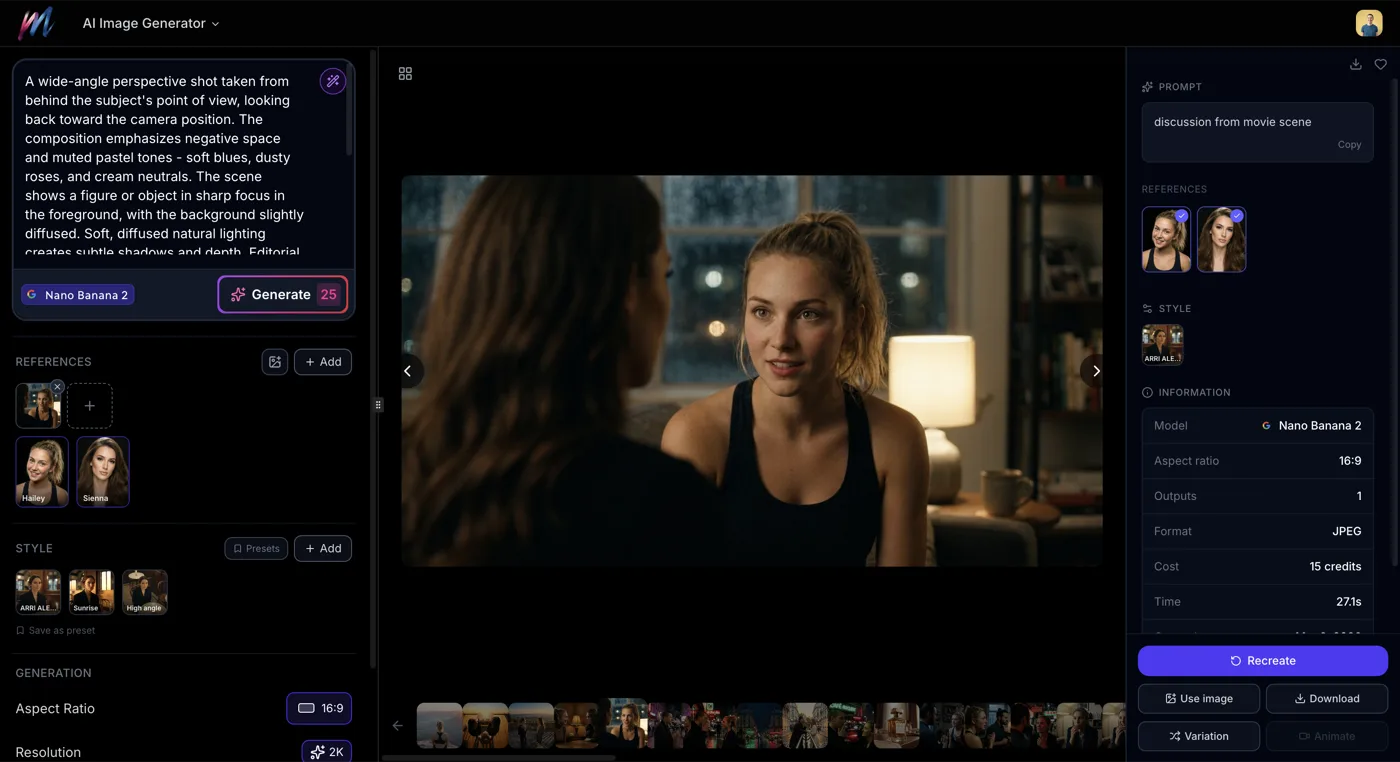 How to Generate AI Images with MeliesLearn how to generate AI images step by step with Melies. Choose from 16 models, write effective prompts, pick the right aspect ratio, and create stunning visuals. - Step-by-step beginner guide
 - Explore image styles
 AI Image Styles: Camera Angles, Lighting, Color Grading & MoreExplore all 11 AI image style categories in Melies including camera angles, lighting presets, color grades, art styles, moods, and more for cinematic visual storytelling. - 130+ presets to transform your images
 - Compare video models
 Kling vs Veo vs Hailuo: Best AI Video Model ComparisonCompare Kling v3, Veo 3.1, Hailuo 02, WAN v2.2, Seedance, and LTX 2 Pro AI video models. Quality, speed, credits, duration, and features compared for 2026. - The video model comparison guide
 - Complete AI models guideAI Models Guide: Choosing the Right ModelCompare current AI image and video models in Melies. Choose the right model for filmmaking based on duration, resolution, features, and credit cost. - Full technical specs for every model
Visit the AI Image Generator to try these models yourself, and check the pricing page for credit packages.