
Melies gives you 11 categories of visual styles with over 100 presets to transform your AI images. From camera angles and lighting to color grades and historical eras, these styles let you control every aspect of your visual storytelling.
This guide breaks down every category and preset so you know exactly what each one does and when to use it.
Quick answer: Melies offers 11 style categories with over 130 presets including camera angles, shot sizes, 23 expressions, 10 lighting setups, color grades, moods, 17 art styles, and historical eras. Apply any preset to a generated image with one click through the variation menu, and chain multiple styles together for complete cinematic control.
How Styles Work in Melies
Styles are applied through the variation system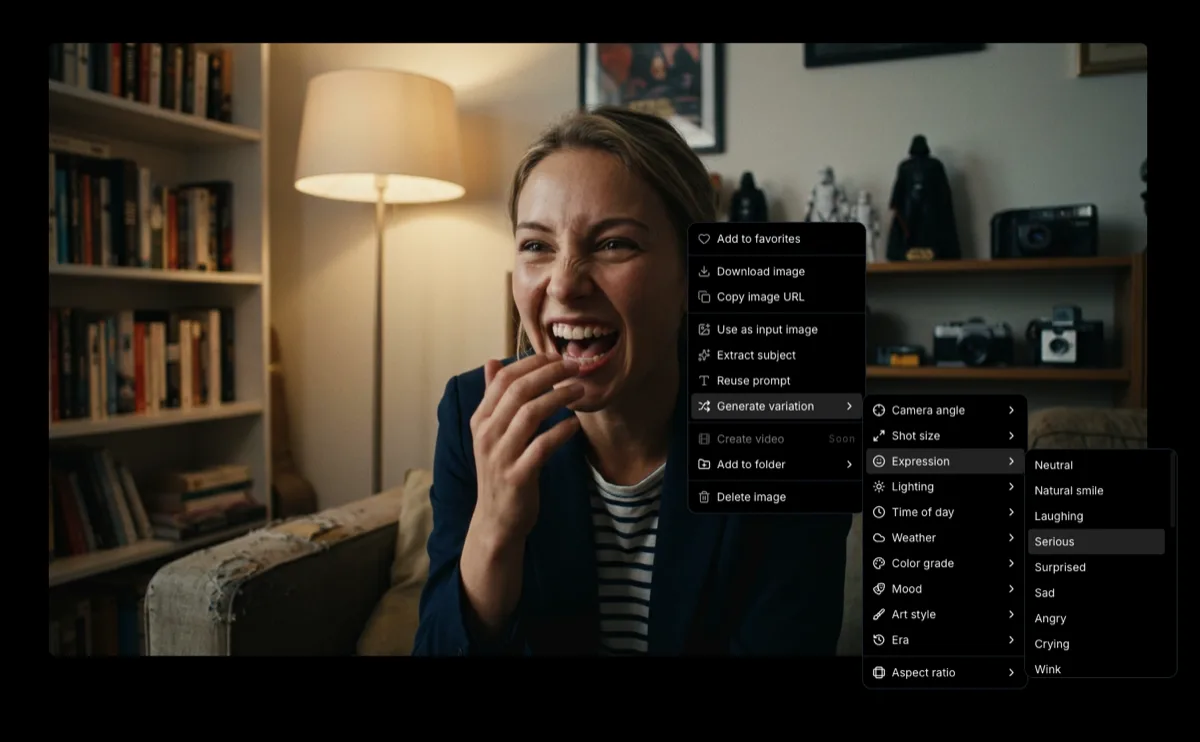 How to Generate AI Image VariationsLearn how to generate AI image variations in Melies. Change camera angles, lighting, expressions, color grades, and more from a single base image.. After generating a base image, right-click it to open the variation menu and browse through the 11 categories. Select any preset, and Melies will regenerate your image with that style applied while keeping your subject and composition intact.
You can chain styles together - apply a camera angle variation, then apply a lighting change to the result, then add a color grade. Each step builds on the previous image.
Camera Angles
Camera angles define the perspective from which your scene is viewed. They are one of the most powerful tools in visual storytelling because they affect how the viewer feels about the subject.
| Preset | Description | When to Use |
|---|---|---|
| Eye Level | Straight-on, neutral perspective | Default choice, feels natural and balanced |
| High Angle | Looking down at the subject | Makes subjects feel small, vulnerable, or insignificant |
| Low Angle | Looking up at the subject | Makes subjects feel powerful, heroic, or imposing |
| Overhead/Top-down | Directly above looking straight down | Establishing shots, maps, table scenes, artistic compositions |
| Ground Level | Camera at ground height | Dramatic perspective, action scenes, emphasizes environment |
| Dutch Tilt | Camera tilted on its axis | Unease, tension, disorientation, psychological scenes |
| Over-the-shoulder | From behind one character toward another | Conversation scenes, reveals, POV shots |
| Profile View | Side-on view of the subject | Character studies, silhouettes, dramatic portraits |
| Three-quarter | 45-degree angle to the subject | Most flattering portrait angle, natural and engaging |
Filmmaker's tip: The three most versatile angles are Eye Level (neutral), Low Angle (power), and High Angle (vulnerability). Master these three and you can tell most stories effectively.
Shot Sizes
Shot sizes control how much of the subject and environment you see. They work together with camera angles to frame your scene.
| Preset | Description | When to Use |
|---|---|---|
| Tighter (zoom in) | Crops closer to the current framing | Focus attention on details without changing composition |
| Wider (zoom out) | Pulls back from the current framing | Reveal more environment and context |
| Extreme Close-up | Just a portion of the face or object | Intense emotion, critical details, tension |
| Close-up | Full face or small object fills the frame | Emotion, dialogue, character moments |
| Medium Close-up | Head and shoulders | Interviews, conversations, YouTube-style framing |
| Medium Shot | Waist up | Standard dialogue and interaction scenes |
| Cowboy Shot | Mid-thigh up | Named after westerns - shows hands near holsters, confident poses |
| Full Body | Entire body visible | Character introductions, action, costume design |
| Wide Shot | Subject in their full environment | Establishing shots, landscapes, showing scale |
Filmmaker's tip: Cut between different shot sizes to create rhythm in your storyboard. A wide establishing shot followed by a close-up creates a natural visual flow that draws the viewer in.
Expressions
Expressions give your characters specific emotions and facial performances. Melies offers 23 expression presets across three packs.
Base Expressions
| Preset | Description |
|---|---|
| Neutral | Calm, blank expression - no particular emotion |
| Natural Smile | Warm, genuine smile |
| Laughing | Open, joyful laughter |
| Serious | Focused, no-nonsense expression |
| Surprised | Wide eyes, open mouth |
| Sad | Downturned features, melancholy |
| Angry | Furrowed brow, intense stare |
| Crying | Tears, visible distress |
Influencer Pack
| Preset | Description |
|---|---|
| Wink | Playful, confident wink |
| Tongue Out | Fun, casual, youthful |
| Duck Face | Classic selfie pose |
| Blowing a Kiss | Flirtatious, affectionate |
| Smize | Smiling with the eyes, subtle and photogenic |
| Biting Lip | Suggestive, nervous, or anticipatory |
Cinema Pack
| Preset | Description |
|---|---|
| Villain Smirk | Confident, sinister half-smile |
| Thousand-yard Stare | Distant, haunted look - trauma or shock |
| Seductive | Magnetic, alluring gaze |
| Horrified | Pure terror and fear |
| Wonder/Awe | Eyes wide with amazement |
| Triumphant | Victory, pride, achievement |
| Exhausted | Drained, physically and emotionally spent |
| Nervous | Anxious, uncertain, fidgety energy |
| Contemplative | Deep in thought, introspective |
| Grieving | Deep sorrow and loss |
| Skeptical | Doubtful, questioning, one eyebrow raised |
Filmmaker's tip: The Cinema Pack expressions are designed for dramatic storytelling. Pair them with the right lighting - Villain Smirk with Low-key Noir, Thousand-yard Stare with Desaturated color grade, Wonder/Awe with Golden Hour - for maximum emotional impact.
Lighting
Lighting defines the mood of your scene more than almost any other element. Melies offers 10 lighting presets that cover the most important cinematic lighting setups.
| Preset | Description | When to Use |
|---|---|---|
| Soft/Diffused | Even, gentle light with minimal shadows | Beauty shots, romance, peaceful scenes |
| Hard/Dramatic | Strong directional light, deep shadows | Tension, conflict, intense moments |
| Golden Hour | Warm, low-angle sunlight | Romance, nostalgia, outdoor beauty shots |
| Blue Hour/Dusk | Cool, ambient twilight tones | Mystery, melancholy, transition scenes |
| Low-key Noir | Mostly shadows with selective highlights | Crime, thriller, psychological drama |
| High-key Bright | Bright, even lighting with few shadows | Comedy, commercials, upbeat content |
| Rembrandt | Classic portrait lighting with triangle shadow on cheek | Character portraits, dramatic close-ups |
| Backlit/Rim | Light from behind, creating a glowing outline | Heroic reveals, silhouettes, dream sequences |
| Candlelight | Warm, flickering, intimate light | Period pieces, romantic dinners, horror |
| Neon Glow | Colorful artificial light, cyberpunk feel | Urban night scenes, sci-fi, music videos |
Filmmaker's tip: Low-key Noir and Rembrandt are the go-to choices for dramatic storytelling. For a commercial or upbeat look, stick with Soft/Diffused or High-key Bright. Golden Hour makes almost anything look beautiful.
Time of Day
Time of Day presets change the ambient light and sky conditions of your scene. They work best with outdoor scenes or scenes near windows.
| Preset | Description |
|---|---|
| Dawn | First light before sunrise, soft purples and pinks |
| Sunrise | Sun breaking the horizon, warm orange glow |
| Morning | Bright, clean daylight with slight warmth |
| Midday | Harsh, overhead sun with strong shadows |
| Golden Hour | Late afternoon warm light (similar to Golden Hour lighting) |
| Dusk/Blue Hour | Sun below horizon, cool blue ambient light |
| Night | Dark with artificial or moonlight sources |
Filmmaker's tip: Dawn and Dusk are the most cinematic times of day. They provide natural drama without needing any additional lighting tricks.
Weather
Weather presets add atmospheric conditions to your scenes. They transform the feel of any outdoor environment.
| Preset | Description |
|---|---|
| Clear/Sunny | Blue sky, bright and optimistic |
| Overcast | Gray sky, even diffused light |
| Foggy | Reduced visibility, mysterious atmosphere |
| Misty | Light haze, soft and dreamy |
| Rainy | Wet surfaces, falling rain, reflections |
| Stormy | Dark clouds, dramatic sky, tension |
| Snowy | Snow-covered environment, cold tones |
Filmmaker's tip: Rainy weather instantly adds production value. The reflections on wet surfaces create visual interest, and the atmosphere adds mood. Foggy and Misty are perfect for horror or mystery genres.
Color Grades
Color grading is one of the most important post-production tools in filmmaking. These 10 presets give your images distinct cinematic looks.
| Preset | Description | Famous Examples |
|---|---|---|
| Natural | True-to-life colors, no stylization | Documentaries, naturalistic films |
| Teal & Orange | Cool shadows, warm highlights | Most Hollywood blockbusters (Transformers, Mad Max) |
| Monochrome | Black and white | Schindler's List, Roma, Sin City |
| Warm Amber | Overall warm, golden tones | Period dramas, nostalgic scenes |
| Cool Blue | Blue-shifted, cold atmosphere | Thriller, sci-fi, winter scenes |
| Filmic/Faded | Lifted blacks, desaturated, vintage feel | Indie films, 70s aesthetic |
| Bleach Bypass | High contrast, desaturated, metallic | Saving Private Ryan, Se7en |
| Sepia | Brown-toned vintage look | Historical flashbacks, old photographs |
| Desaturated | Muted colors, gritty and raw | War films, dystopian settings |
| Hyper-saturated | Intense, vivid colors | Wes Anderson, music videos, animation |
Filmmaker's tip: Teal & Orange is the most popular Hollywood color grade because it makes skin tones pop against cool backgrounds. Bleach Bypass is perfect for gritty, intense scenes. Pick one grade for your entire project to maintain visual consistency.
Mood
Mood presets affect the overall emotional atmosphere of your image through a combination of lighting, color, and composition adjustments.
| Preset | Description | Genre Match |
|---|---|---|
| Romantic | Soft, warm, intimate | Romance, drama |
| Mysterious | Shadowy, intriguing, partially hidden | Thriller, mystery |
| Tense/Thriller | High contrast, unsettling framing | Thriller, horror |
| Ethereal/Dreamy | Soft focus, glowing, otherworldly | Fantasy, romance, surreal |
| Gritty/Raw | Rough textures, harsh, unfiltered | Crime, war, documentary |
| Melancholic | Muted, blue-tinted, somber | Drama, indie |
| Epic/Heroic | Grand scale, dramatic lighting | Action, fantasy, sci-fi |
| Nostalgic | Warm, slightly faded, sentimental | Period pieces, coming-of-age |
| Eerie/Unsettling | Off-kilter, uncomfortable atmosphere | Horror, psychological thriller |
| Joyful/Uplifting | Bright, warm, optimistic | Comedy, family, adventure |
| Serene/Peaceful | Calm, balanced, tranquil | Meditation content, nature, healing |
| Dark/Foreboding | Heavy shadows, oppressive atmosphere | Horror, dark fantasy, dystopia |
Filmmaker's tip: Mood presets are the fastest way to establish genre. Apply Tense/Thriller to an ordinary scene and it instantly feels like a suspense film. Apply Joyful/Uplifting and the same scene feels like a comedy.
Art Styles
Art Styles transform your image into a completely different visual medium. These 17 presets range from photorealistic cinema to anime, painting, and graphic art.
| Preset | Description |
|---|---|
| Cinematic Film Still | Photorealistic, looks like a frame from a real movie |
| Hollywood Blockbuster | High production value, polished, epic |
| Arthouse/Indie | Muted, intentional, festival-film aesthetic |
| Classic Film Noir | 1940s-50s black and white crime drama |
| Neo-noir | Modern noir with color, stylized shadows |
| Documentary | Raw, authentic, photojournalistic |
| Anime | Japanese animation style |
| Studio Ghibli | Soft, magical, hand-painted Ghibli aesthetic |
| Makoto Shinkai | Hyper-detailed backgrounds, vivid skies, emotional |
| Comic Book | Bold outlines, halftone dots, graphic novel |
| Pixar/3D Animation | Clean, polished 3D character design |
| Oil Painting | Thick brushstrokes, classical painting look |
| Watercolor | Soft, flowing, translucent pigment |
| Charcoal Sketch | Raw, textured black and white drawing |
| Concept Art | Professional pre-production illustration |
| Synthwave/80s | Neon grids, chrome, retro-futuristic |
| Fashion Editorial | High-end magazine photography |
Filmmaker's tip: Cinematic Film Still is the default for most projects. But do not overlook the animation styles - Studio Ghibli and Makoto Shinkai produce stunning results that can give your project a unique identity.
Eras
Era presets transport your image to a specific time period, adjusting clothing, architecture, technology, and overall aesthetic.
| Preset | Description |
|---|---|
| Victorian/1880s | Formal dress, gas lamps, ornate architecture |
| 1920s Art Deco | Geometric patterns, jazz age glamour |
| 1950s Post-war | Suburban optimism, pastel colors, chrome cars |
| 1960s/Mod | Bold colors, youth culture, space age |
| 1970s/New Hollywood | Earthy tones, gritty realism, counterculture |
| 1980s/Neon | Bright colors, synthwave, excess |
| 1990s/Grunge | Flannel, muted tones, raw and DIY |
| Early 2000s | Y2K aesthetic, digital early days |
| Modern Contemporary | Present day, clean and current |
| Near Future | Slight sci-fi, advanced but recognizable |
| Dystopian Future | Post-apocalyptic, worn, oppressive |
| Medieval/Fantasy | Swords, castles, magical settings |
Filmmaker's tip: Eras are essential for period pieces. They handle all the visual details of a time period - wardrobe, architecture, color palette - so you can focus on your story. Combine an Era with a matching Color Grade (1970s + Filmic/Faded, 1980s + Hyper-saturated) for maximum authenticity.
Combining Styles for Maximum Impact
The real power of the style system is combining presets from different categories. Here are some proven combinations:
Film Noir Detective Story
- Camera Angle: Low Angle or Dutch Tilt
- Lighting: Low-key Noir
- Color Grade: Monochrome or Bleach Bypass
- Mood: Mysterious or Tense/Thriller
- Era: 1920s Art Deco or Modern Contemporary
Epic Fantasy Adventure
- Camera Angle: Low Angle
- Shot Size: Wide Shot
- Lighting: Golden Hour or Backlit/Rim
- Color Grade: Hyper-saturated
- Mood: Epic/Heroic
- Art Style: Hollywood Blockbuster or Concept Art
Intimate Drama
- Camera Angle: Eye Level or Three-quarter
- Shot Size: Close-up or Medium Close-up
- Lighting: Rembrandt or Candlelight
- Color Grade: Warm Amber or Filmic/Faded
- Mood: Melancholic or Romantic
Cyberpunk Thriller
- Camera Angle: Ground Level or Dutch Tilt
- Lighting: Neon Glow
- Weather: Rainy
- Color Grade: Teal & Orange
- Mood: Tense/Thriller or Dark/Foreboding
- Art Style: Neo-noir
- Era: Near Future
What to Do Next
- Generate image variationsHow to Generate AI Image VariationsLearn how to generate AI image variations in Melies. Change camera angles, lighting, expressions, color grades, and more from a single base image. - Learn how to apply these styles step by step
- Generate AI images
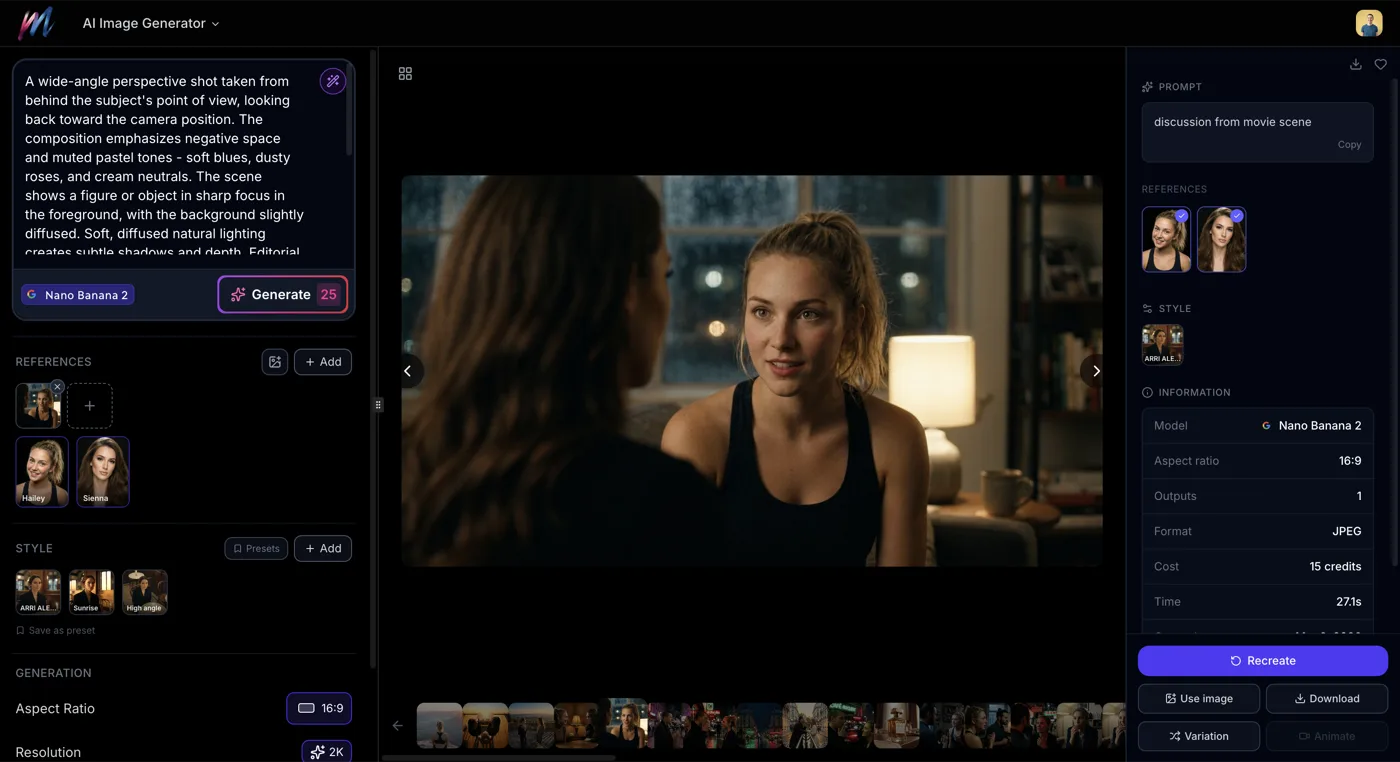 How to Generate AI Images with MeliesLearn how to generate AI images step by step with Melies. Choose from 16 models, write effective prompts, pick the right aspect ratio, and create stunning visuals. - Master the basics of image generation
 - Create AI actors
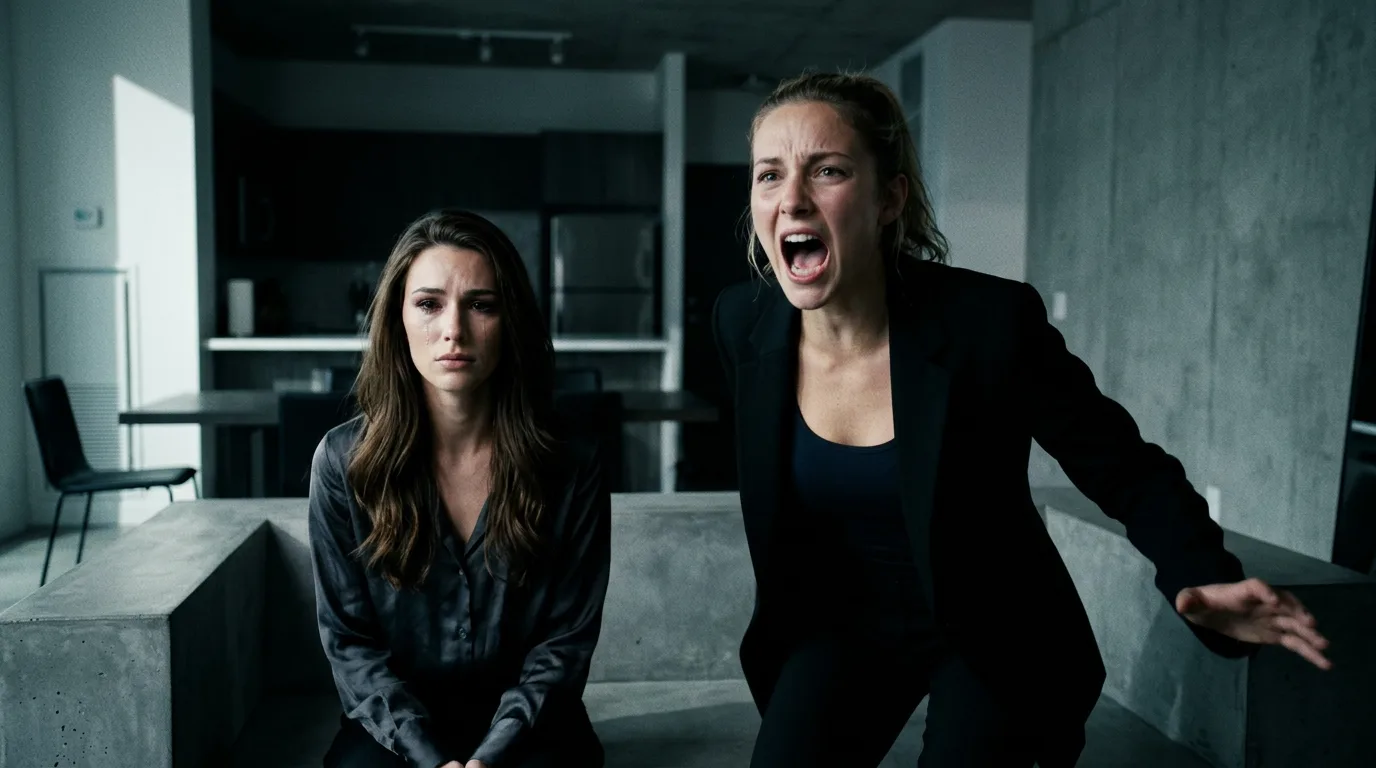 AI Character Generator: Create Consistent AI CharactersUse the Melies AI character generator to create consistent characters across scenes. Browse 148 pre-built AI actors and generate images with the same character every time. - Build consistent characters to style across scenes
Check our pricing page for credit packages to start exploring all styles.