Melies vs invideo Agent One: which AI film tool fits your workflow?
invideo Agent One is invideo's hosted AI video agent for serious creative production. It can help create and edit videos from prompts, context, and production direction inside invideo. It is a useful comparison for creators deciding between a hosted AI video agent and Vibe Cinema's Mac workflow with bring-your-own keys, zero markup, and transparent provider cost before every render.
Melies is strongest when you want one AI filmmaking workspace for multiple asset types and models. invideo Agent One can still be the right choice when its core workflow matches the exact way you create. The right decision depends less on a feature count and more on where your bottleneck is: script development, visual iteration, video generation, editing, brand consistency, or final delivery.
What invideo Agent One does well
Agent One can create and iterate videos from prompts and context
Access to stock providers and a broad model catalog inside invideo
Strong brand in video creation and marketing workflows
Useful for business videos, ads, explainers, and social content

What to verify first
More hosted platform oriented than bring-your-own-key oriented
Less focused on AI actors, posters, storyboards, and cinematic asset iteration
Credit and plan model can make true provider cost harder to inspect
Stock-media workflows can feel generic for creators seeking original cinematic identity
Where Melies may fit better
No markup on generation and provider-cost approval before render
Better fit for AI shorts, cinematic clips, posters, storyboards, actors, and creator assets
Cleaner alternative for users who want original AI film assets rather than stock-heavy marketing videos
Better fit when you want your own model/API billing instead of a hosted credit abstraction
Dedicated comparison
Vibe Cinema vs invideo Agent One
invideo Agent One is strong when you want a hosted agent to build, edit, and iterate inside invideo. Vibe Cinema is stronger when you want the same agentic film direction with your own subscriptions and model keys, no generation markup, and visible cost before render.
Chat with an AI filmmaking agent, approve the plan, then generate scenes and assets only after cost review.
Use invideo's hosted Agent One to build and iterate videos inside invideo.
Cost model
No markup. Providers bill your own keys directly and Vibe Cinema shows estimated render cost before spending.
Plan and credit-based hosted model where model and agent prices are managed inside invideo.
Best fit
Filmmakers and creators who want model-key ownership, budget caps, and transparent cost control.
Teams that want invideo to abstract model access, stock, editing, and agent workflow in one hosted service.
Buying question
Do you want to know the real model cost before every render?
Do you want a hosted video agent and credit system to manage the process for you?
Why Vibe Cinema is different
The biggest Vibe Cinema advantage is economic clarity. Instead of turning generation into bundled platform credits, Vibe Cinema is designed to show the provider price before spending and add no markup on top of your own model/API accounts.
Feature comparison
invideo Agent One vs Melies, feature by feature
Compare the same creative job in both products. The useful question is not who has more buttons, but where each tool gives you control, continuity, and fewer handoffs.
Feature
invideo Agent One
Melies
Primary output
Agent-led marketing, brand, social, and explainer videos
AI film and creator assets
Cost model
Hosted platform plans and credits
Your keys, no markup, cost shown before render
AI models
Large catalog inside invideo
Provider-key workflow with transparent generation economics
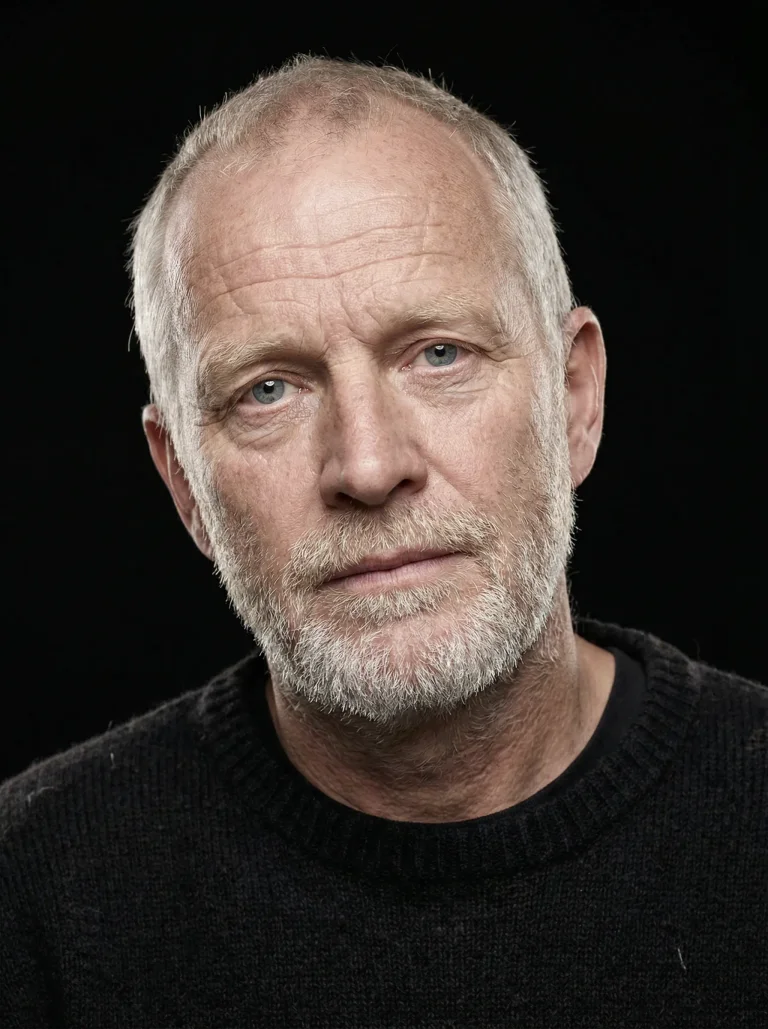
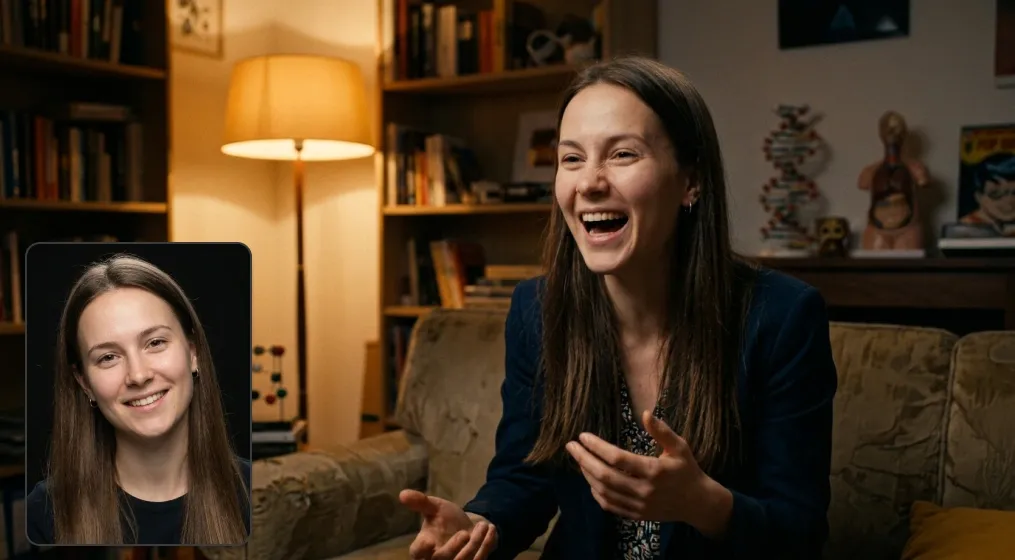
Upload reference photos or use built-in AI actors so the same face and identity carry across scenes, angles, expressions, and generated clips.
Upload actor references once and reuse them across scenes
Keep identity consistent through new angles, moods, and expressions
Build repeatable story assets instead of one-off generations
Compared with invideo Agent One
invideo Agent One can be a strong generator, but Melies is stronger when the project depends on recurring actors and repeatable story assets, not just one-off outputs.
Shot direction
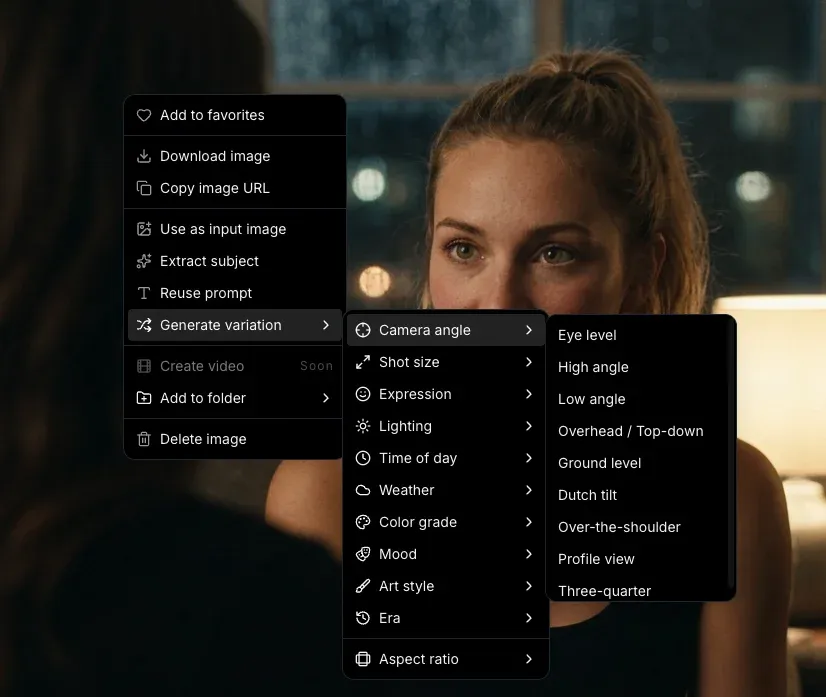
Direct camera angles and shot language before generation
Choose the camera angle, shot size, lighting, mood, and style before spending credits so each generation starts closer to the scene you need.
Use built-in camera angle presets for cinematic framing
Control shot language before comparing image and video models
Keep visual direction consistent across frames, posters, and clips
Compared with invideo Agent One
Instead of relying on invideo Agent One to infer every creative choice from one prompt, Melies gives filmmakers explicit visual controls before they generate.
Visual system
Carry the same look into scenes, posters, thumbnails, and promos
A film rarely stops at the first clip. Melies helps you keep one visual direction across generated scenes, release assets, style tests, voice, music, and final quality passes.
Choose cinematic styles and reuse the same direction across assets
Generate scenes, posters, thumbnails, and campaign visuals from one workspace
Finish with voice, music, upscaling, and creator-ready delivery assets
Compared with invideo Agent One
invideo Agent One may handle its core task well. Melies is stronger when the same project needs a repeatable look across the whole film package, not just one generated asset.
Perfect character consistency across scenes
Upload reference photos and your characters stay consistent across every scene - same face, same identity, different expressions and angles.
Melies vs invideo Agent One
Try the invideo Agent One alternative built for full AI film production
Start from one real brief in Melies and build the surrounding film assets in the same workspace: scenes, actors, video, posters, voice, music, and delivery-ready visuals.
You want original AI film assets instead of stock-first videos.
You need actors, posters, storyboards, thumbnails, voice, music, and video models in one workflow.
You want zero markup and transparent provider cost before each generation.
Workflow fit
Where each tool fits in an AI film workflow
Use this as a production-path check: idea, visual development, generation, and delivery. The stronger tool is the one that removes the most handoffs for your exact project.
Workflow stage
invideo Agent One
Melies
Decision signal
01
Brief to concept
Can the tool turn a loose idea into production-ready direction?
Use invideo Agent One when its main workflow already matches the exact output you need.
Use Melies when the brief needs scripts, scenes, characters, references, and visual assets in one place.
Choose the tool that reduces planning handoffs before generation starts.
02
Look development
How much can you decide before spending credits on final shots?
invideo Agent One is useful when you want to explore its specific visual style or effect quickly.
Melies is stronger when you need reusable actors, posters, thumbnails, style tests, and reference images around the same film.
Look for reusable references, not just one good-looking output.
03
Shot generation
Can you compare outputs without rebuilding the project elsewhere?
Pick invideo Agent One when its generator gives the exact shot language your project depends on.
Pick Melies when you want several image and video models available inside the same production workflow.
Compare how many retries and model switches it takes to reach a usable shot.
04
Final delivery
What still needs another tool after the first generation?
invideo Agent One can be enough for a focused asset or short standalone generation.
Melies fits better when you also need voice, music, upscaling, reusable assets, and continuity across revisions.
Count the remaining exports, subscriptions, and final delivery steps.
Pricing and value
Compare what the subscription has to replace
Pricing changes. Value is easier to judge: what assets are covered, where credits apply, and how many separate tools you still need after paying.
Cost area
invideo Agent One
Melies
Buying check
Scope
What one subscription covers
invideo Agent One can be worth it when its focused workflow is the main thing you need.
One workspace covers image, video, actors, posters, storyboards, thumbnails, voice, music, and upscaling.
List every asset you need before comparing plan prices.
Usage
Where limits show up
Check caps on generations, exports, model access, commercial usage, and output quality.
Compare credits against the full project, not just a single video or image generation step.
Estimate revisions, retries, exports, and final resolution.
Stack
Extra tools still needed
A focused tool may still require separate apps for scripts, assets, audio, thumbnails, or upscaling.
Lower switching cost when the same project needs several film assets before final delivery.
Count subscriptions, tabs, and handoffs after the first generation.
Expected generations, exports, and revisions are clear
All required assets fit in the same workflow
Final quality and formats match your delivery needs
Choose invideo Agent One if...
You need fast marketing, explainer, or social videos with stock footage.
You want a hosted AI agent to assemble and iterate videos from prompts and context.
You care more about speed and templates than cinematic asset control.
In short, invideo Agent One is worth testing when its core workflow maps directly to the way you already plan, generate, edit, and deliver video.
Choose Melies if...
You want original AI film assets instead of stock-first videos.
You need actors, posters, storyboards, thumbnails, voice, music, and video models in one workflow.
You want zero markup and transparent provider cost before each generation.
In short, Melies is a stronger fit when the project spans more than one asset type and you want to keep model choice, credits, and creative iteration in the same place.
Hands-on evaluation
How to test invideo Agent One against Melies before switching
A useful comparison page can narrow the decision, but the best answer comes from a small production test. Pick one real brief, keep the inputs identical, and judge both tools on the final asset quality and the number of steps needed to get there.
Run the same creative brief
Use the same script, prompt, target aspect ratio, character references, and delivery format in invideo Agent One and Melies. This avoids comparing a polished demo in one product with a different task in the other. For AI film work, consistency across shots and assets matters more than a single attractive generation.
Measure the hidden work
Count how many retries, exports, tabs, tools, and subscriptions you need before the asset is ready. A product can look faster on the first generation but become slower when you add character continuity, audio, thumbnails, poster art, upscaling, or alternate formats.
Check the final delivery path
Look beyond creation and review the final file quality, watermark rules, commercial usage terms, export formats, team workflow, and how easy it is to reuse assets in the next project. That is often where a focused invideo Agent One workflow and a broader Melies workspace feel most different.
These answers focus on practical buying questions for creators comparing invideo Agent One with Melies.
Vibe Cinema is a strong invideo Agent One alternative for filmmakers who want agentic AI film direction with bring-your-own keys, no generation markup, and transparent provider cost before renders.
invideo Agent One is often better for creators who want a hosted agent to produce marketing, explainer, brand, and social videos inside invideo. Vibe Cinema is better when the goal is AI film assets, budget control, and cost transparency.
Vibe Cinema is designed to plan and create AI films and videos by chatting, but its key difference is that it uses your own subscriptions and model keys with no markup instead of hiding generation behind platform credits.
Related comparisons
Other AI film tools to compare
If invideo Agent One is close but not quite right, compare Melies with adjacent AI video, image, avatar, editor, and story tools.