
A movie poster is the first thing audiences see. It sets expectations, conveys genre, and creates intrigue - all in a single image. The Melies movie poster generator lets you create professional-quality posters in minutes, complete with custom styles, title text, and taglines.
This guide walks you through the movie poster generator step by step, from writing the right prompt to choosing the perfect style and adding text overlays.
Quick answer: The Melies Movie Poster Generator lets you create professional movie posters by writing a scene prompt, choosing from 20 visual styles (Cinematic, Film Noir, Anime, Sci-Fi, and more), and adding your movie title and tagline as text overlay. The generator composes poster-format images with style-matched typography, starting from as low as 2 credits.
What the Movie Poster Generator Does
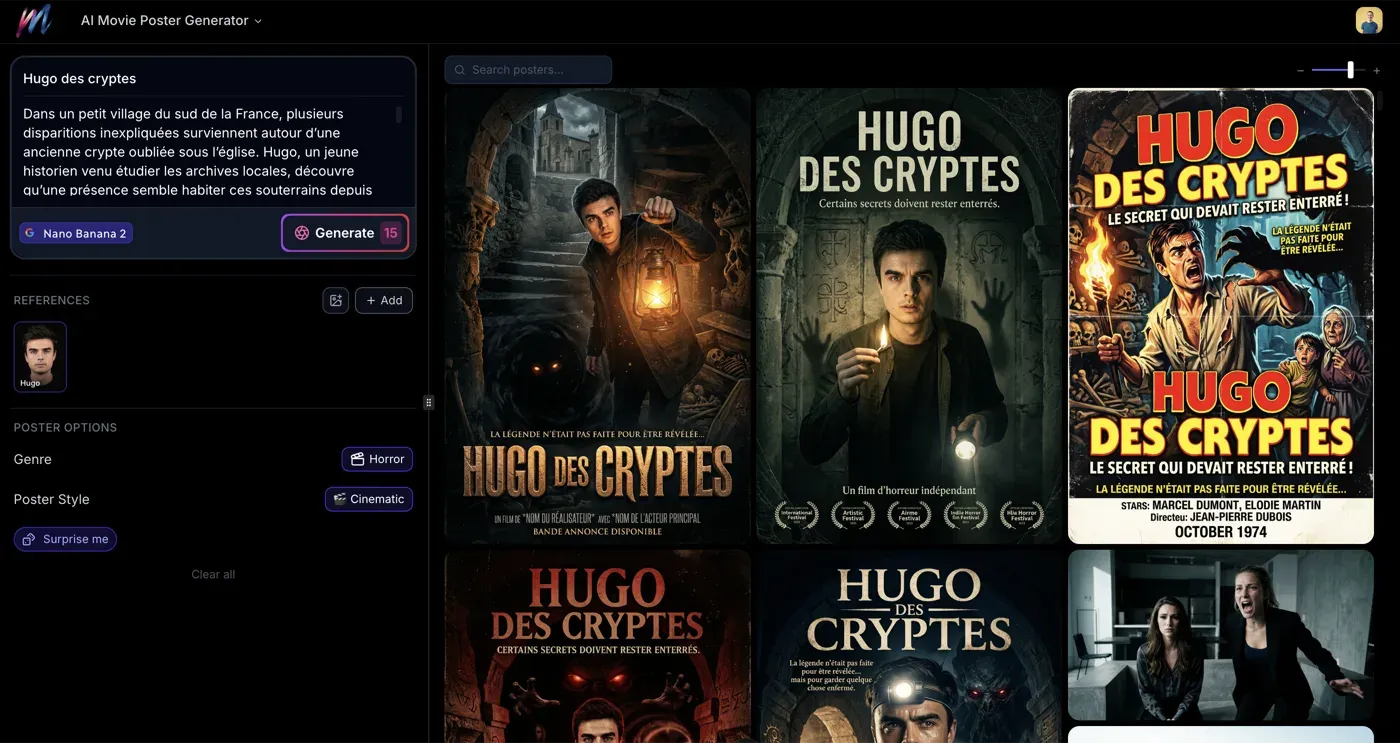
The Movie Poster Generator on Melies is a specialized tool designed specifically for creating film posters. Unlike general image generation, it:
- Composes images in poster format with appropriate framing and composition
- Offers 20 curated visual styles matched to film genres
- Adds title and tagline text directly on the poster
- Optimizes the layout so text and imagery work together
You describe your scene, pick a style, add your movie title, and the generator handles the rest.
Step-by-Step: Creating Your Movie Poster
Step 1: Write Your Scene Prompt
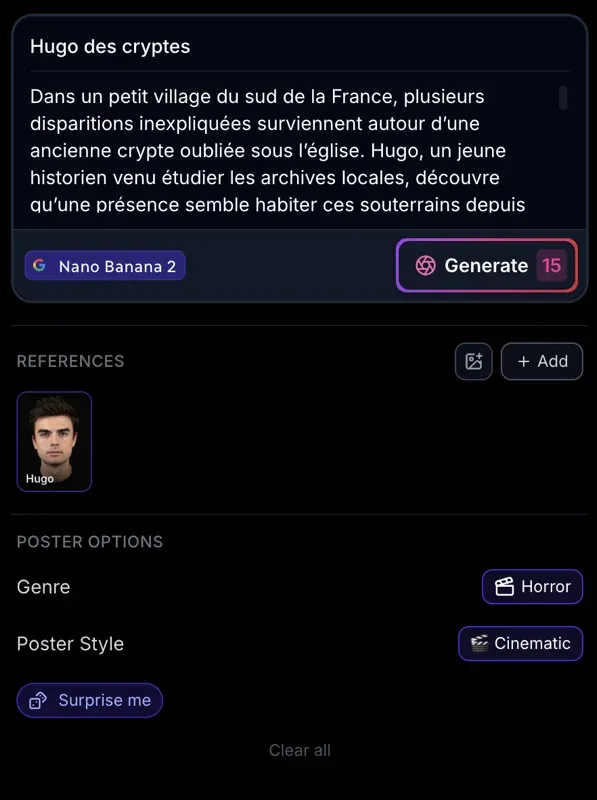
Describe the key visual you want on your poster. Think about what a viewer should see and feel at first glance.
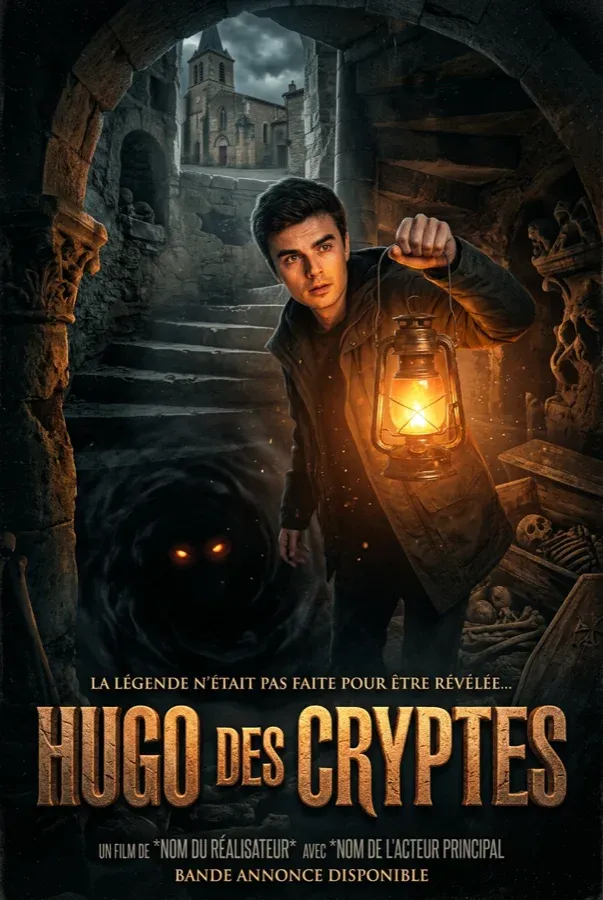
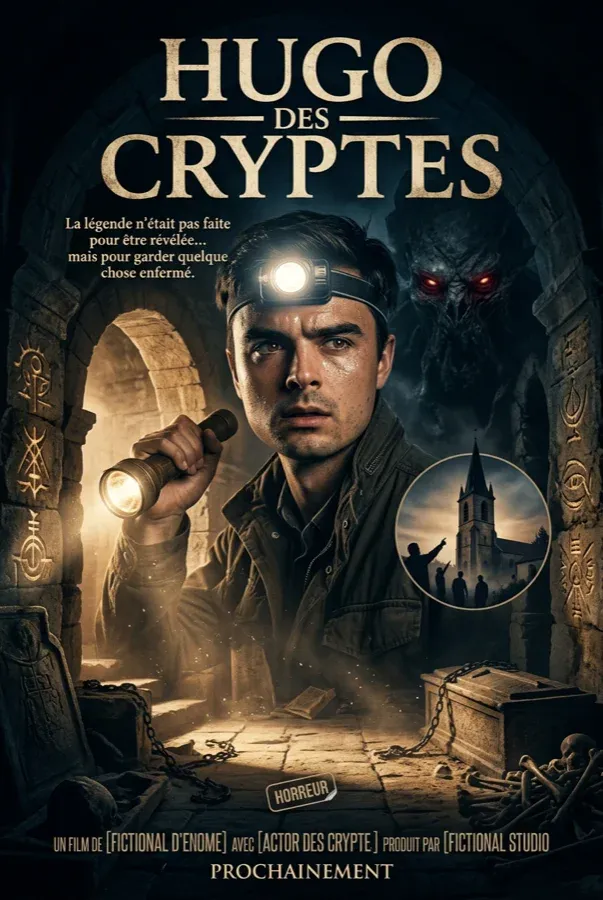
You can also add an AI actor as a reference image to keep your character consistent across poster generations. Select an actor from your library in the References section, and the generator will use their likeness in the poster.
Good poster prompts focus on:
- A central subject or character: "A lone astronaut standing on a red desert planet"
- Mood and atmosphere: "Dark, moody lighting with rain falling"
- Genre cues: "Explosions in the background, hero silhouetted against fire"
- Composition: "Extreme close-up of a face, half in shadow"
Example prompts for different genres:
| Genre | Prompt Example |
|---|---|
| Action | "A woman in tactical gear standing on a rooftop at night, city skyline exploding behind her, dramatic backlit silhouette" |
| Horror | "A cracked porcelain doll face emerging from darkness, one eye glowing red, spider web cracks across the surface" |
| Romance | "Two silhouettes standing on a bridge at sunset over the Seine, Paris skyline in golden light, autumn leaves falling" |
| Sci-Fi | "A massive spaceship hovering over a futuristic city, blue holographic beams connecting ship to ground, citizens looking up" |
| Thriller | "A shadowy figure at the end of a long dimly-lit corridor, their face half-visible, holding a manila folder" |
Step 2: Choose Your Style
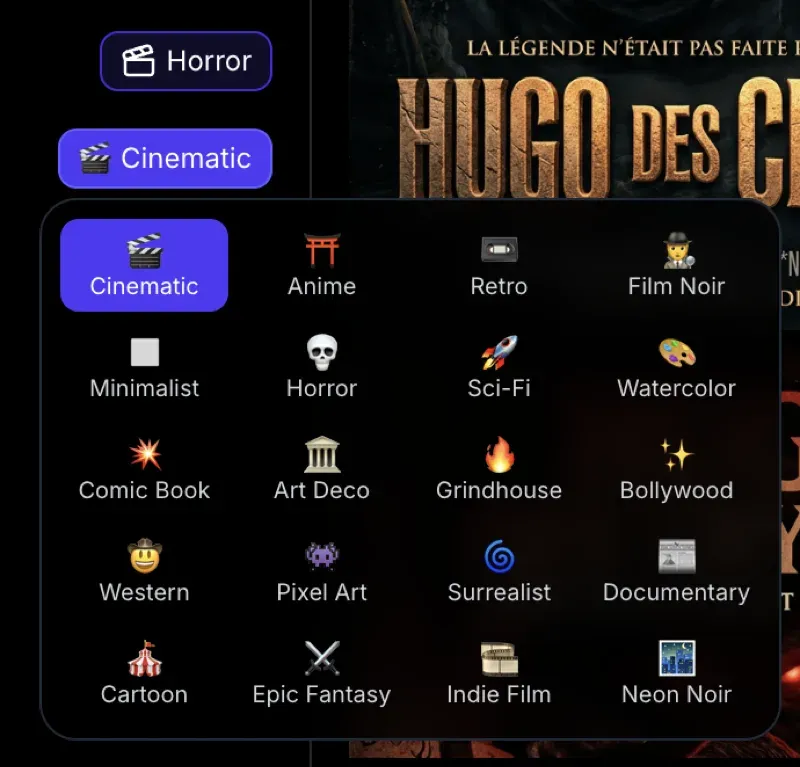
Select from 20 visual styles. Each style transforms your prompt into a distinct aesthetic:
| Style | Best For |
|---|---|
| Cinematic | Blockbuster films, photorealistic drama |
| Anime | Animation projects, Japanese aesthetic |
| Retro | Period pieces, vintage feel |
| Film Noir | Detective stories, classic mystery |
| Minimalist | Arthouse films, conceptual projects |
| Horror | Horror and thriller films |
| Sci-Fi | Science fiction, cyberpunk |
| Watercolor | Artistic, emotional stories |
| Comic Book | Superhero films, action-comedy |
| Art Deco | 1920s period pieces, glamour |
| Grindhouse | Exploitation, retro-action |
| Bollywood | Vibrant musical dramas |
| Western | Frontier stories, period westerns |
| Pixel Art | Gaming-related, retro-digital |
| Surrealist | Psychological, dreamlike stories |
| Documentary | Non-fiction, editorial style |
| Cartoon | Family films, animated features |
| Epic Fantasy | Fantasy adventure, epic scope |
| Indie Film | Independent cinema, muted aesthetic |
| Neon Noir | Modern noir, neo-noir, cyberpunk |
Not sure which style to pick? See our detailed 20 AI Movie Poster Styles guide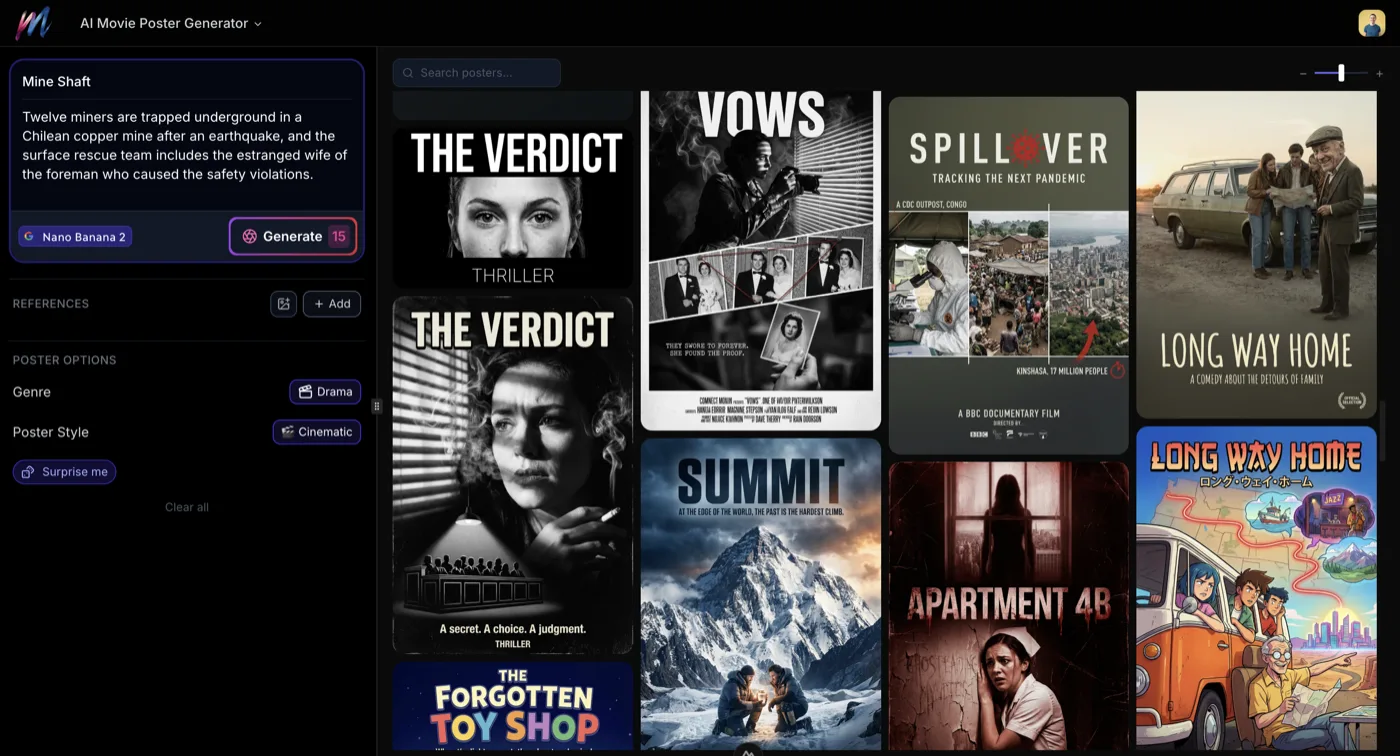 20 AI Movie Poster Styles: From Noir to AnimeExplore all 20 AI movie poster styles available on Melies. From classic Film Noir to vibrant Bollywood, find the perfect visual aesthetic for your film project. for examples and recommendations for every style.
Step 3: Add Your Title and Tagline
Enter your movie title and an optional tagline. These will be rendered directly on the poster.
Title tips:
- Keep titles short and punchy for maximum visual impact
- One to three words work best on posters
- Longer titles still work but take up more visual space
Tagline tips:
- One sentence that creates intrigue
- Classic formula: hint at the conflict without spoiling the story
- Examples: "In space, no one can hear you scream" / "Be afraid. Be very afraid." / "The truth is out there."
Step 4: Generate Your Poster
Click generate and wait for the result. The generator combines your scene prompt, selected style, and text to create a complete movie poster.
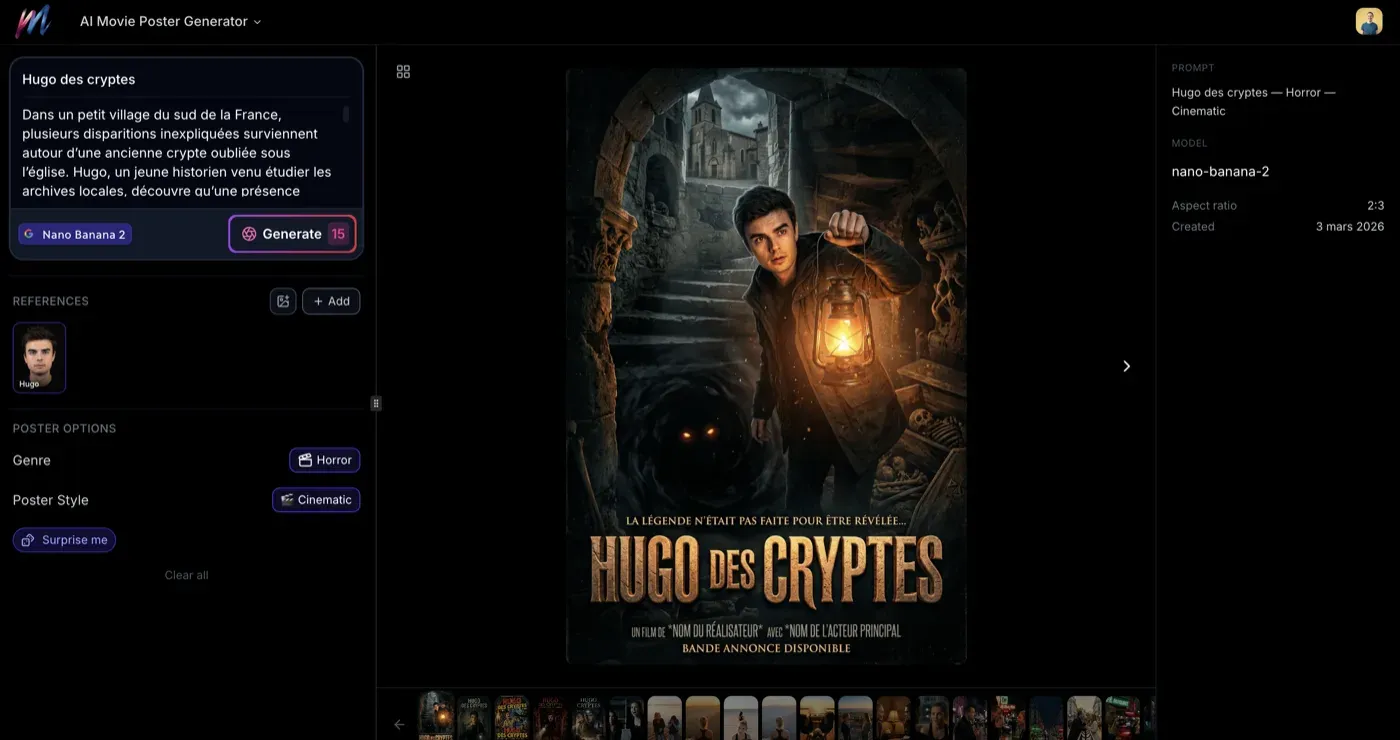
Here are two examples of finished posters generated with the Cinematic style, using an AI actor for character consistency:
Step 5: Evaluate and Iterate
Review your poster against these criteria:
- Does the central image read clearly? The main subject should be immediately visible
- Does the style match the genre? A comedy should not look like a horror film unless that is intentional
- Is the text legible? Title and tagline should be readable against the image
- Does it create intrigue? Would you want to watch this film based on the poster?
If something is not right, adjust your prompt, try a different style, or regenerate. Each generation may produce a different composition and interpretation.
Step 6: Generate Variations
Once you have a poster you like, generate variations to explore alternatives:
- Same prompt, different style: See how your concept looks as Film Noir vs. Cinematic vs. Minimalist
- Same style, different prompt: Tweak the scene description for different compositions
- Different text: Try alternative taglines to see which reads best
Writing Better Poster Prompts
Focus on the Hero Image
Movie posters typically have one strong central image. Your prompt should describe this clearly:
- Single character: "A detective in a fedora and trench coat, cigarette smoke curling around his face"
- Character group: "Three friends standing back-to-back, each holding a different weapon"
- Object or symbol: "A golden ring suspended in a beam of light above a volcanic landscape"
- Landscape or setting: "A haunted mansion on a cliff overlooking a stormy sea at night"
Include Composition Cues
Guide the AI toward poster-friendly compositions:
- "Silhouette against a bright background"
- "Face filling the frame, dramatic side lighting"
- "Characters in the foreground, chaos in the background"
- "Looking up at the subject from below, powerful and imposing"
Describe Mood Through Visual Details
Rather than saying "scary," describe what makes it scary:
- Instead of "scary forest": "A fog-choked forest with gnarled trees, faint red light glowing deep within"
- Instead of "romantic city": "Rain-slicked Parisian streets reflecting warm cafe lights, two shadows meeting under an umbrella"
- Instead of "epic battle": "An army of thousands on a vast plain, dust rising into an amber sky, fortress walls crumbling in the distance"
Matching Style to Genre
Choose styles that align with your film's genre for the most convincing results:
| Film Genre | Recommended Styles |
|---|---|
| Action blockbuster | Cinematic, Comic Book |
| Horror | Horror, Film Noir, Neon Noir |
| Romance | Watercolor, Indie Film, Cinematic |
| Comedy | Cartoon, Retro, Minimalist |
| Sci-Fi | Sci-Fi, Neon Noir, Minimalist |
| Fantasy | Epic Fantasy, Watercolor, Art Deco |
| Thriller | Film Noir, Neon Noir, Cinematic |
| Drama | Cinematic, Indie Film, Documentary |
| Musical | Bollywood, Art Deco, Retro |
| Western | Western, Grindhouse, Retro |
| Animation | Anime, Cartoon, Pixel Art |
| Documentary | Documentary, Minimalist |
| Arthouse | Surrealist, Minimalist, Indie Film |
Using Posters in Your Workflow
Movie posters are not just standalone artwork. They fit into a broader filmmaking workflow:
Pre-Production Visualization
Generate posters early in your project to:
- Test visual concepts before committing to a full production style
- Share your vision with collaborators
- Establish mood and tone for the project
Marketing Material
Use generated posters for:
- Social media promotion
- Film festival submissions
- Pitch decks and presentations
- Thumbnail images for video content
Project Covers
Within Melies, posters can serve as:
- Project thumbnails for your film dashboard
- Scene reference images
- Style guides for the rest of your production
From Poster to Film
Your poster establishes the visual language for your project. Use it as a starting point for production:
- Generate your poster to establish the look
- Use the same style cues in your image generation prompts
- Maintain the color palette and lighting across scenes
- Generate videos that match the poster's mood and tone
- Build your complete film in the timeline
The poster becomes your visual north star - every scene should feel like it belongs in the same film as the poster.
What to Try Next
- Movie Poster Generator - Start creating posters now
- 20 AI Movie Poster Styles20 AI Movie Poster Styles: From Noir to AnimeExplore all 20 AI movie poster styles available on Melies. From classic Film Noir to vibrant Bollywood, find the perfect visual aesthetic for your film project. - Explore every style in detail
- AI Image Generator - Generate scene images for your film
- How to Generate Movie Ideas
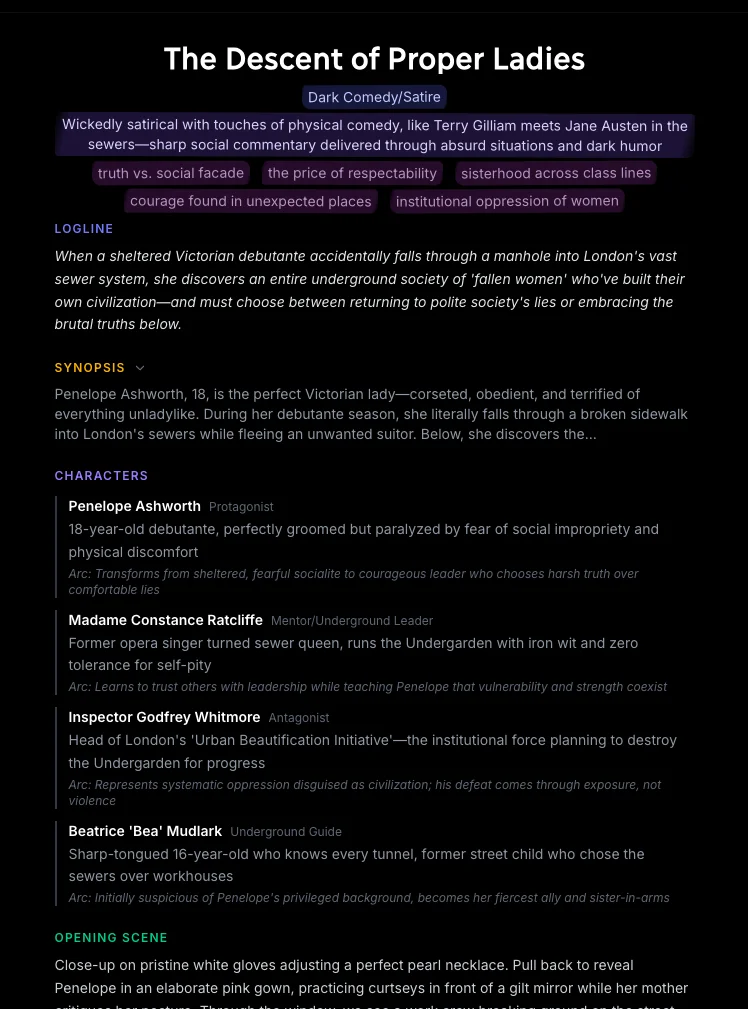 How to Generate Movie Ideas with AIUse the Melies Movie Idea Generator to create original film concepts. Step-by-step guide through the 9-step wizard covering archetypes, tone, characters, and themes. - Get story ideas for your poster
 - AI Image Styles Guide
 AI Image Styles: Camera Angles, Lighting, Color Grading & MoreExplore all 11 AI image style categories in Melies including camera angles, lighting presets, color grades, art styles, moods, and more for cinematic visual storytelling. - Browse all visual styles
 - Credits guide
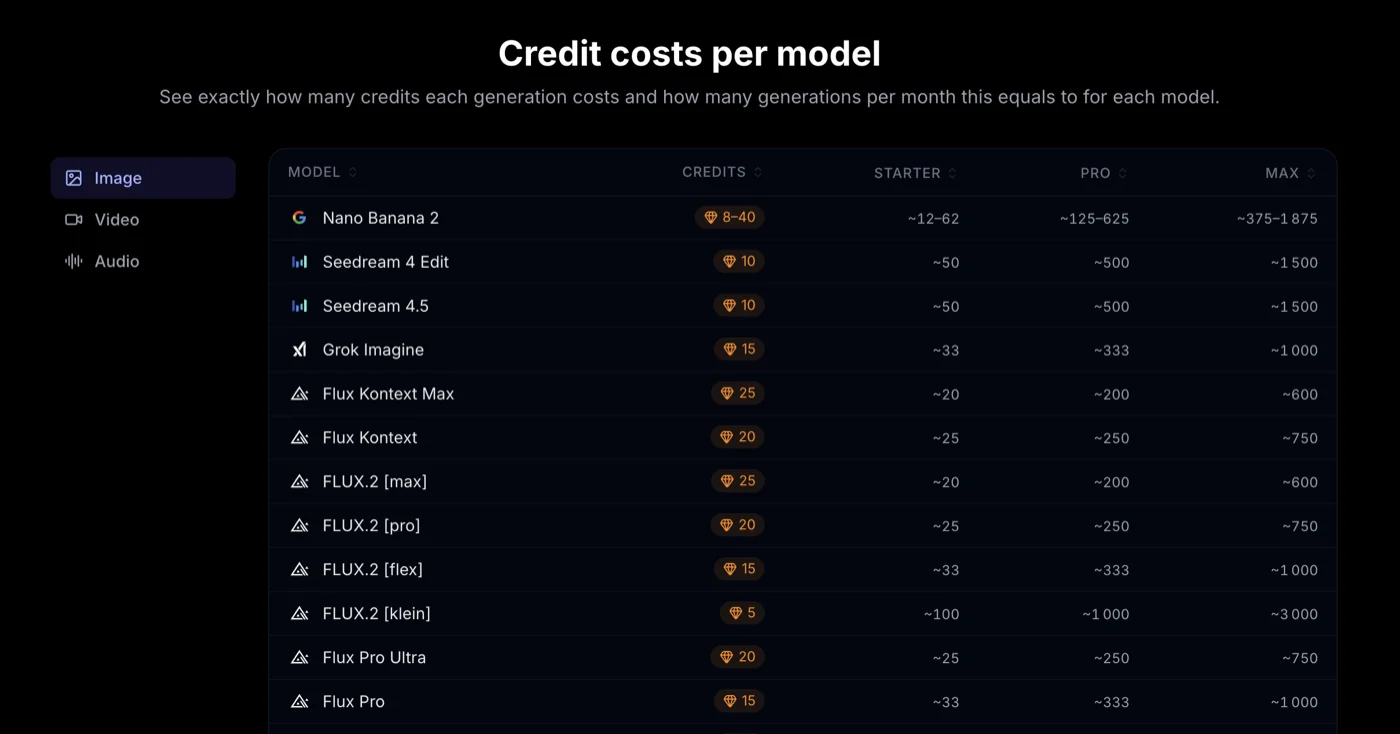 Credits & Pricing: How Melies Credits WorkUnderstand how Melies credits work for AI image and video generation. See costs per model, resolution pricing, and tips to optimize your budget. - Understand credit costs