
If you are a filmmaker or content creator working with AI images, you have probably tried tools like Midjourney, DALL-E, or Stable Diffusion. They are impressive for general image generation. But filmmaking has specific needs that generic tools were not built for.
This guide explains what filmmakers actually need from an AI image generator, how Melies addresses those needs, and where general-purpose tools fall short.
Quick answer: Melies is the best AI image generator for filmmakers because it combines 16 image models, 148 AI actors for character consistency, 130+ cinematic presets (camera angles, lighting, color grades), and a complete pipeline from image generation through video production to timeline editing and export - all in one platform. Unlike Midjourney or DALL-E, Melies is built specifically for visual storytelling.
What Filmmakers Need (That Generic Tools Miss)
1. Character Consistency
The biggest challenge in AI filmmaking is keeping characters looking the same across scenes. Generate a detective in scene one, and generic tools will give you a completely different person in scene two.
Generic tools: You have to carefully craft prompts, use seed numbers, or rely on workarounds that break easily. Character drift is constant.
Melies: AI actors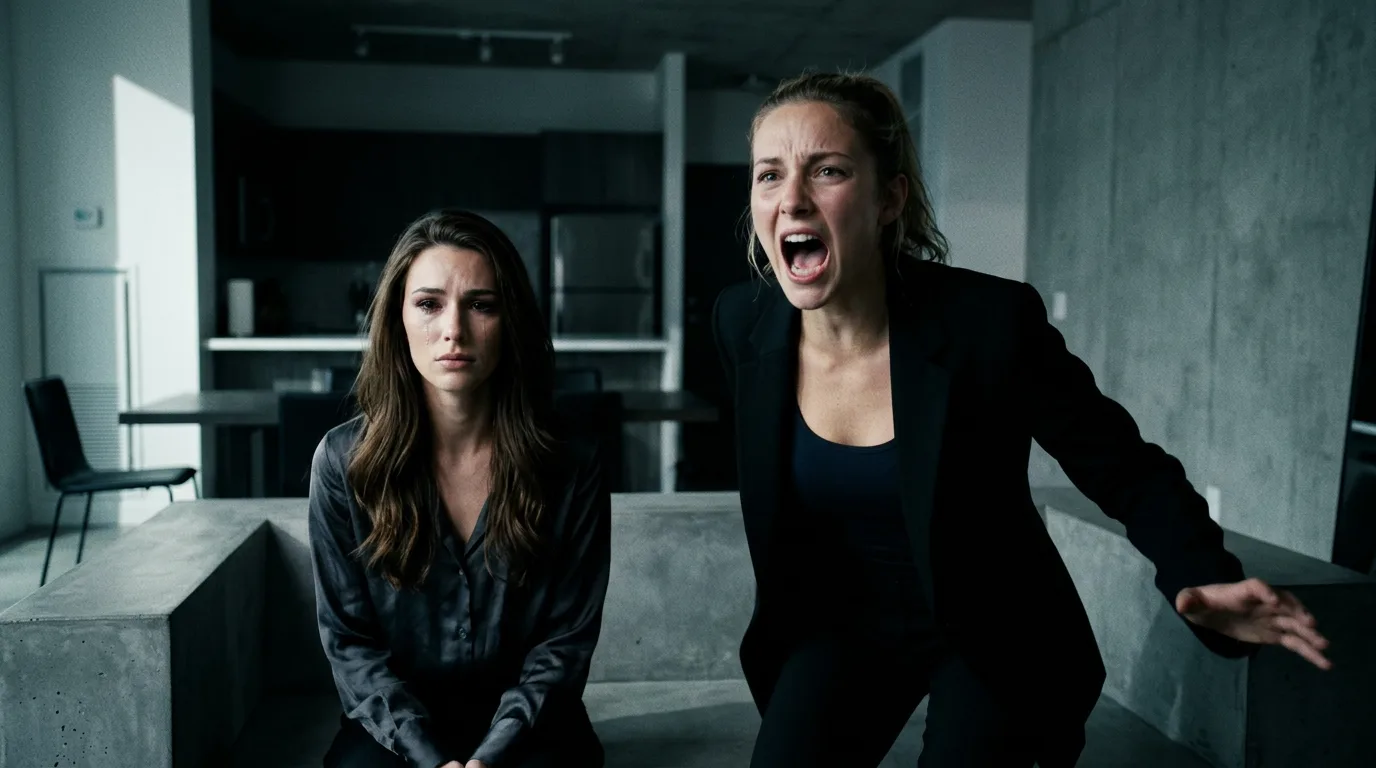 AI Character Generator: Create Consistent AI CharactersUse the Melies AI character generator to create consistent characters across scenes. Browse 148 pre-built AI actors and generate images with the same character every time. solve this directly. Select from 148 pre-built actors with locked-in appearance details. The same actor looks consistent across every generation, every scene, every angle. This is not a workaround - it is a core feature.
2. Cinematic Control
Filmmakers think in terms of camera angles, shot sizes, lighting setups, and color grades. These are the fundamental tools of visual storytelling.
Generic tools: You have to describe everything in your prompt. "Low angle, dramatic rim lighting, teal and orange color grade" - and hope the model interprets it correctly.
Melies: The variation system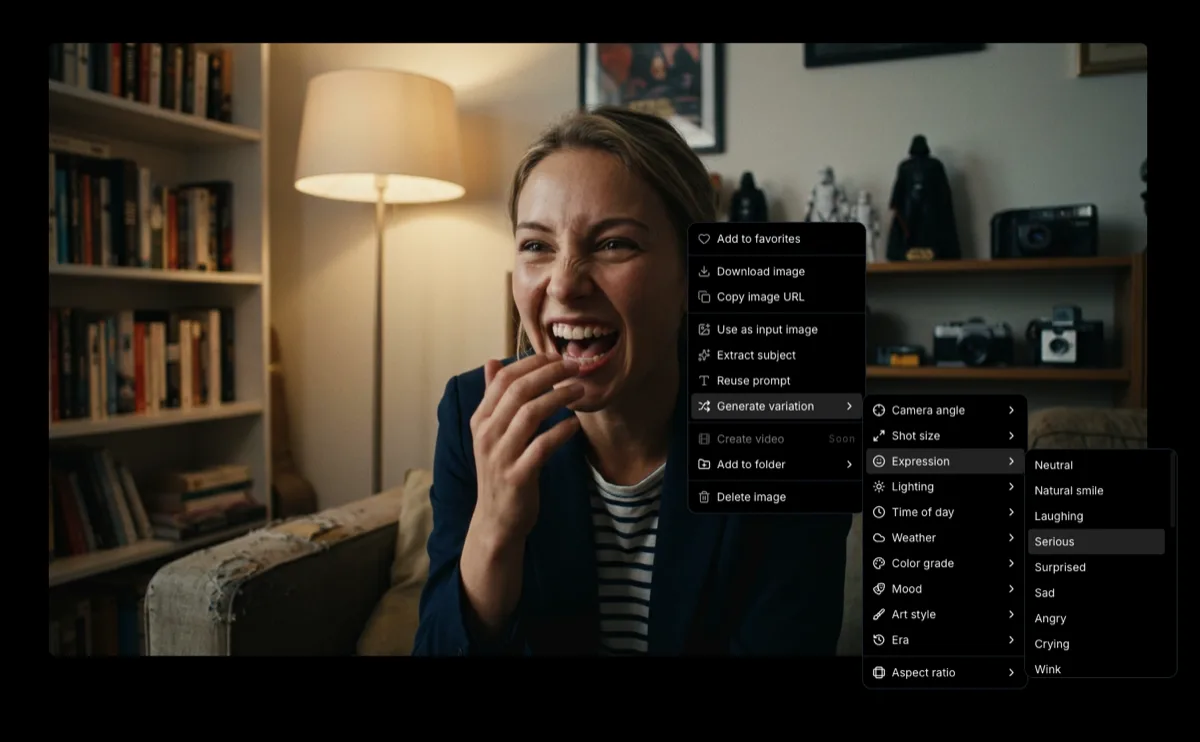 How to Generate AI Image VariationsLearn how to generate AI image variations in Melies. Change camera angles, lighting, expressions, color grades, and more from a single base image. gives you 11 categories with over 130 presets. Right-click an image and apply a Low Angle camera variation. Then change the lighting to Neon Glow. Then apply a Teal & Orange color grade. Each change is precise and predictable. You are directing, not hoping.
3. Multi-Model Access
Different models excel at different things. A model that is great for photorealistic portraits might struggle with wide landscape shots. A fast model is perfect for iteration, but you want a high-quality model for final renders.
Generic tools: Most lock you into one model. Midjourney uses its own model. DALL-E uses DALL-E. You have to switch platforms to try something different.
Melies: Access 16 image models AI Models Guide: Choosing the Right ModelCompare current AI image and video models in Melies. Choose the right model for filmmaking based on duration, resolution, features, and credit cost. from one interface. Black Forest Labs (Flux family), Google (Nano Banana), ByteDance (Seedream), xAI (Grok Imagine Image 2.0). Switch between them freely depending on your needs: fast and cheap for iteration, slow and premium for finals.
4. The Complete Pipeline
An AI image generator that just generates images is only the first step. For filmmaking, you need to go from image to video to edited film.
Generic tools: Generate an image, download it, upload it to a video tool, download that, upload it to an editor, piece it all together. Every step is a separate platform.
Melies: The entire filmmaking pipeline lives in one place:
- Generate a movie idea with the Movie Idea Wizard
- Generate images with AI actors and cinematic presets
- Generate videos
 AI Image to Video: How to Turn Any Image into Video with AITurn any AI image into video with Melies. Learn image-to-video generation, model selection, motion prompts, duration, resolution, audio, and references. from your images (image-to-video) or from text
 - Edit on the timeline with cuts, transitions, and pacing
- Add audio - music, voice, sound effects
- Export in multiple formats and resolutions
No platform-hopping. No downloading and re-uploading. Everything flows.
The Variation System: A Director's Tool
The variation system is worth highlighting because it fundamentally changes how you work with AI images. Instead of the generate-and-pray approach, you get precise creative control.
11 Categories, Over 130 Presets
| Category | Presets | What It Controls |
|---|---|---|
| Camera Angles | 9 | Perspective and viewpoint |
| Shot Sizes | 9 | Framing and composition |
| Expressions | 23 | Character emotions |
| Lighting | 10 | Light source and quality |
| Time of Day | 7 | Ambient light conditions |
| Weather | 7 | Atmospheric effects |
| Color Grades | 10 | Cinematic color treatment |
| Mood | 12 | Overall emotional atmosphere |
| Art Styles | 17 | Visual medium and aesthetic |
| Eras | 12 | Historical period |
| Movie Poster Styles | 20 | Marketing material look |
This is how real filmmakers work. You do not reshoot an entire scene because you want a different camera angle. You set up a new angle and shoot again. The variation system brings that same workflow to AI image generation.
Practical Example
Say you are building a storyboard for a noir thriller:
- Generate your detective standing in an alley
- Apply Low Angle camera - makes them look imposing
- Apply Low-key Noir lighting - deep shadows, selective highlights
- Apply Monochrome color grade - classic black and white
- Apply Rainy weather - wet streets, reflections
- Apply Villain Smirk expression - now they look morally ambiguous
Six precise adjustments. Each one predictable. Each one building toward a specific vision. Try achieving this level of control with prompt engineering alone.
How Melies Compares
Melies vs. Midjourney
| Feature | Melies | Midjourney |
|---|---|---|
| Character consistency | AI actors (148 built-in) | Prompt-based (unreliable) |
| Cinematic presets | 130+ one-click presets | Manual prompt engineering |
| Model variety | 16 models from 4 providers | 1 proprietary model |
| Image-to-video | Built-in (8 video models) | Not available |
| Timeline editing | Built-in | Not available |
| Film export | Built-in (MP4, WebM) | Not available |
| Interface | Web app | Discord-based |
Midjourney produces beautiful images. But it stops at image generation. For filmmakers who need to go from image to finished film, the workflow gaps are significant.
Melies vs. DALL-E
| Feature | Melies | DALL-E |
|---|---|---|
| Character consistency | AI actors | Not available |
| Cinematic presets | 130+ presets | Not available |
| Model variety | 16 models | 1 model |
| Image-to-video | Built-in | Not available |
| Variation control | 11 categories | Basic variations only |
| Filmmaking pipeline | Complete | Image generation only |
DALL-E is great for quick image generation, but it is designed as a general-purpose tool, not a filmmaking platform.
Melies vs. Runway
Runway is the closest comparison because it also targets filmmakers. The key difference: Melies provides the complete pipeline from concept to export, with dedicated tools for each stage. Runway focuses primarily on video generation and editing, with less emphasis on the image generation and pre-production stages that feed into the pipeline.
Who Should Use Melies
Independent Filmmakers
You are making a short film or feature with a small team. AI handles the visual production, and you focus on story and direction. The AI actors and variation system let you storyboard and produce visual content without a crew.
Content Creators
You create videos for YouTube, TikTok, or social media. You need consistent visual branding and fast turnaround. The multi-model access and one-click presets let you produce high-quality visuals quickly.
Storyboard Artists
You are creating storyboards for live-action or animation projects. AI actors maintain character consistency across frames. The variation system lets you explore camera angles and compositions rapidly.
Concept Artists
You are developing visual concepts for films, games, or commercial projects. The art style presets (Concept Art, Hollywood Blockbuster, Anime, Studio Ghibli) let you quickly explore different visual directions for the same scene.
Getting Started
- Sign up for Melies
and pick a credit package on the pricing page
- Generate your first image
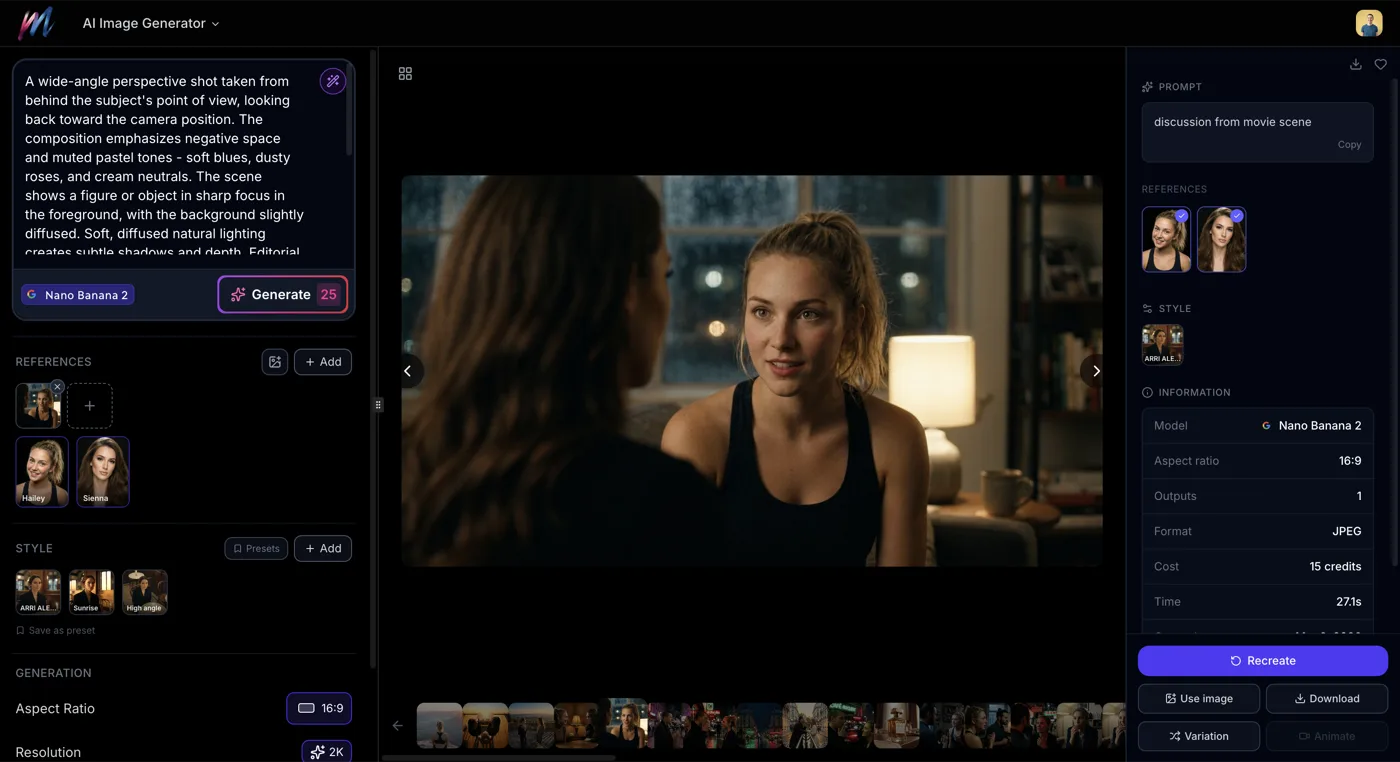 How to Generate AI Images with MeliesLearn how to generate AI images step by step with Melies. Choose from 16 models, write effective prompts, pick the right aspect ratio, and create stunning visuals. - start with the beginner guide
 - Create an AI actorAI Character Generator: Create Consistent AI CharactersUse the Melies AI character generator to create consistent characters across scenes. Browse 148 pre-built AI actors and generate images with the same character every time. - set up a consistent character
- Explore styles
 AI Image Styles: Camera Angles, Lighting, Color Grading & MoreExplore all 11 AI image style categories in Melies including camera angles, lighting presets, color grades, art styles, moods, and more for cinematic visual storytelling. - browse all 130+ cinematic presets
 - Generate variationsHow to Generate AI Image VariationsLearn how to generate AI image variations in Melies. Change camera angles, lighting, expressions, color grades, and more from a single base image. - learn the variation workflow
- Make your first videoAI Image to Video: How to Turn Any Image into Video with AITurn any AI image into video with Melies. Learn image-to-video generation, model selection, motion prompts, duration, resolution, audio, and references. - turn images into motion
- Build a full film
 AI Filmmaking: How to Create an AI Film from Idea to ExportLearn the complete AI filmmaking workflow with Melies. Generate ideas, cast AI actors, create storyboards, produce video clips, edit on a timeline, and export your finished AI film. - the complete end-to-end guide
Check the complete AI models guideAI Models Guide: Choosing the Right ModelCompare current AI image and video models in Melies. Choose the right model for filmmaking based on duration, resolution, features, and credit cost. for detailed specs on all 16 image models and 8 video models.